
Dynamic QR Code Tracking with Google Analytics: The Ultimate 2026 Guide
Connecting offline marketing with online action isn't just nice to have anymore—it's essential. When you use a dynamic QR code to send physical traffic to your digital platforms, you aren't just directing visitors; you're capturing highly precise behavioral data. Suddenly, a simple scan on a physical flyer becomes a trackable, meaningful step in your customer journey.
Unlike older static versions, a dynamic QR code lets you update its destination URL whenever you want—without having to reprint a single piece of paper. By adding UTM parameters to that destination link, you can easily track scans, visitor demographics, and actual conversions directly inside Google Analytics, successfully linking your offline campaigns to your digital tracking setup.
Key Takeaways
- You can edit a dynamic code's destination in real time, saving you from expensive reprint bills.
- By using UTM parameters with Google Analytics 4 (GA4), you can easily separate physical traffic from your standard organic web traffic.
- Pairing offline QR scans with a high-performing Instagram Link in bio is a great way to drive social engagement.
- All-in-one digital identity platforms gather these tools under one roof, saving you from paying for multiple, disconnected software subscriptions.
What is a Dynamic QR Code?
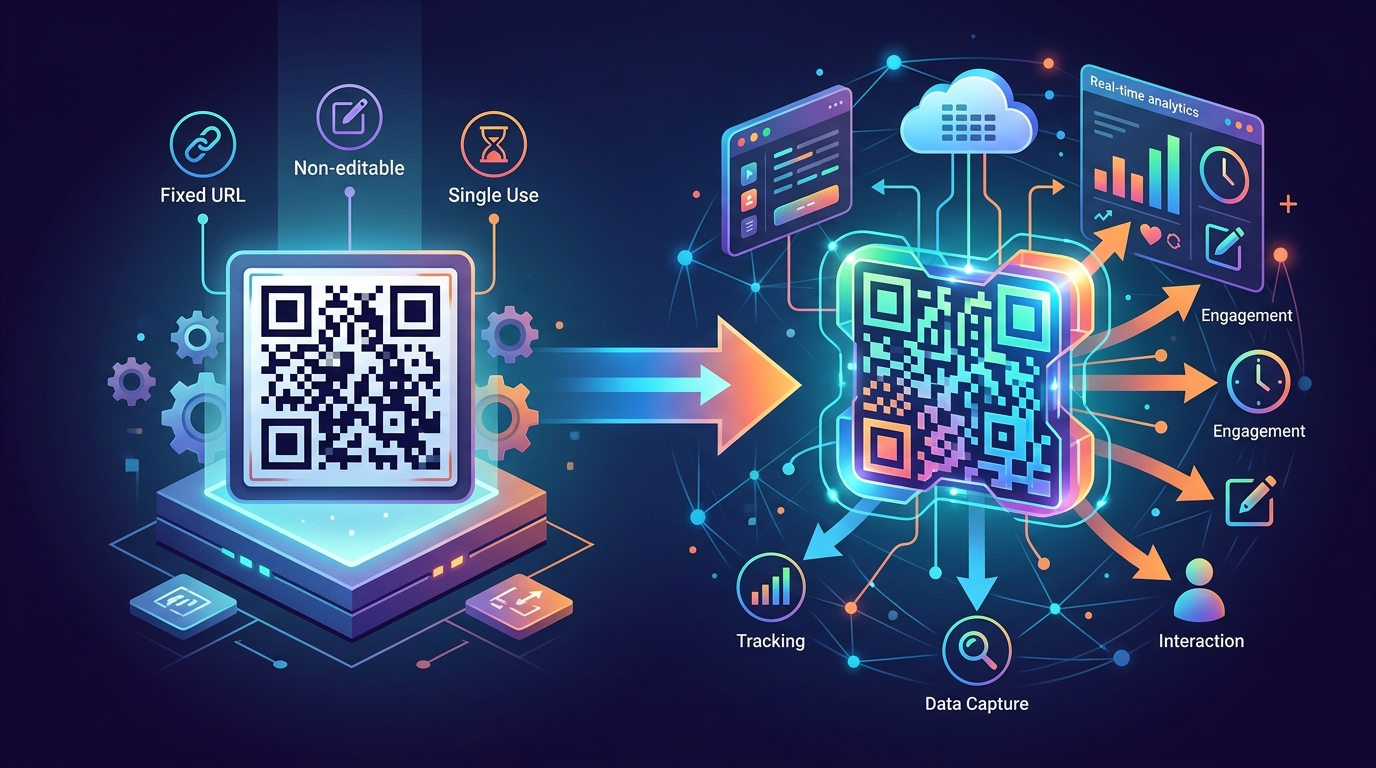
Think of a static QR code as a permanent ink stamp—once it's printed, you're stuck with it. A dynamic QR code, on the other hand, is built on a short redirection URL instead of having the final destination link hardcoded into its pattern. When someone scans it, they route through a quick redirect server before hitting your actual landing page. This clever setup gives you two massive advantages: you can swap out the destination URL whenever you want without reprinting your materials, and you can capture detailed tracking data on every single scan.
If you're running campaigns in fast-moving, competitive markets across Europe, Asia, or Turkey, this flexibility is a lifesaver. Imagine being able to update a promo link on a thousand printed flyers, business cards, or product packages instantly—without spending a dime on redistributing them. This simple redirect mechanism serves as the perfect bridge, pulling offline interactions directly into your digital analytics pipeline.
Why Connect a Dynamic QR Code to Google Analytics?

Standard QR generators will tell you how many times a code was scanned, but that's where the insights end. You're left in the dark about what actually happens after the scan. By routing those scans into Google Analytics, you can see the whole picture: Do visitors leave immediately, or do they stick around to explore your services, fill out a booking form, and buy your products?
Isolating your QR traffic inside Google Analytics 4 (GA4) lets you measure real business metrics like engagement time, conversions, and demographic data. It helps answer the questions that actually impact your bottom line: Which brick-and-mortar store is driving the most digital interest? Which flyer design actually converts to a booking? For businesses operating in diverse, mobile-first regions like Turkey and broader Asia, having this level of localized insight is a massive competitive advantage.
How to Set Up Google Analytics Tracking for Your QR Codes

Setting up clean tracking for your codes isn't difficult, but it does require a bit of structure. Here's a straightforward, step-by-step approach to make sure your GA4 data stays accurate and organized.
Step 1: Construct Your UTM-Tagged URL
Before you build your QR code, you need to append UTM (Urgent Tracking Module) tags to your destination link. These little tags are what tell Google Analytics exactly where your visitors are coming from. You can use a free tool like the official Google Campaign URL Builder to put this together. Make sure you define these three core parameters:
- utm_source: Use something like 'qr' or 'offline' so you know it started with a physical scan.
- utm_medium: Label this with the physical format, such as 'print', 'flyer', or 'business-card'.
- utm_campaign: Name it after your specific marketing campaign (for example, 'spring_promo_2026').
Step 2: Generate and Test the Code
Now, take your shiny new UTM-tagged link and paste it into your dynamic QR generator. Once the code is created, don't forget to test it. Grab both an iPhone and an Android device, scan the code, and double-check that the redirect is smooth and that the full UTM parameters remain visible in your browser's address bar when the page loads.
Step 3: Analyze the Traffic in GA4
To see your data in action, log into your Google Analytics account and navigate to Reports > Acquisition > Traffic Acquisition. Filter the list by 'Session source/medium' to pull up your QR-tagged traffic. From there, you can track exactly how long these users stay, how many pages they visit, and which goals they're completing.
How to Optimize Your Link in bio for Instagram with Trackable QR Codes
Because social media platforms famously hate external links, your Link in bio for Instagram is incredibly prime digital real estate. By putting a dynamic QR code on offline assets—like restaurant table tents, salon mirror stickers, or retail receipts—you can seamlessly nudge real-world customers toward your Instagram hub. It's a strategy that works incredibly well in mobile-first regions throughout Asia and Europe.
When a customer scans the code, they'll land on a beautifully designed micro-page highlighting your social channels, service menu, and booking links. By tracking this path in Google Analytics, you can see exactly how well your physical marketing footprints are converting casual offline visitors into loyal social followers and booking clients.
Dynamic vs. Static QR Codes: Key Differences for Businesses
If you're wondering why professional marketers almost always stick to dynamic setups, it helps to look at the structural limits of static codes. Here is a quick breakdown of how the two stack up when it comes to run-of-the-mill business needs.
| Feature | Static QR Codes | Dynamic QR Codes |
|---|---|---|
| URL Editing | Locked once printed | Change anytime you want |
| Data Density | High (dense pattern, harder to scan) | Low (cleaner pattern, scans much faster) |
| Analytics Tracking | None whatsoever | Detailed scan insights |
| UTM Integration | Locked in (cannot edit) | Flexible (adjust parameters anytime) |
| Use Case | One-and-done setups (like WiFi setups) | Marketing, product menus, digital business cards |
Leveraging Qret.me for Unified Analytics and Digital Identity
Let's be honest: juggling separate subscriptions for QR generators, link-in-bio tools, booking platforms, and web analytics is a major headache. That's where Qret.me comes in. Think of it as a comprehensive, AI-powered digital presence platform—a true "Digital Twin" for business owners and content creators. Rather than paying for half a dozen disconnected tools, Qret.me pulls all your critical digital touchpoints into one cohesive platform.
Through Qret.me's integrated Dynamic QR Codes, you can design branded, trackable codes and tweak their destinations in seconds. These codes lead visitors straight to your custom Bio Link Pages, where you can display scheduling widgets, showcase digital catalogs, and tweak designs to match your branding perfectly.
You don't need to be a developer to understand your data, either. Qret's built-in Growth Engine & Analytics delivers clean, visual charts of your clicks, views, and traffic sources. Plus, there's a built-in AI Chatbot that studies your bio content, services, and catalog to handle customer inquiries 24/7. This means anyone scanning your physical QR code or clicking your Instagram bio link gets instant support, fast bookings, and direct recommendations on the spot.
Whether you're running a trendy salon in Istanbul, a cozy coffee shop in Paris, or a boutique consultancy in Tokyo, Qret.me gives you the exact tools you need to organize, protect, and grow your digital brand.
Ready to simplify your stack and start measuring your marketing campaigns without the headaches? Try Qret.me for free today—no credit card needed.
Frequently Asked Questions (FAQ)
Can I change the destination of my dynamic QR code without changing the physical print?
Absolutely. In fact, that's their biggest selling point. Because the printed code directs to a short redirection URL, you can swap out the final destination link inside your dashboard whenever you want, and your physical prints will stay completely up to date.
How do I view QR code scans in Google Analytics 4?
Just add custom UTM parameters to your destination link (like setting utm_source to 'qr'). Then, head over to your GA4 account, go to Reports > Acquisition > Traffic Acquisition, and search for your custom UTM tag to see exactly how your physical campaigns are performing.
Are dynamic QR codes safe to use for consumer-facing campaigns?
They are, as long as you're using a secure, trusted platform. Top-tier providers secure their redirect servers to prevent unauthorized updates, keeping your customer journey safe, fast, and secure.