


How to Automate Customer Inquiries With AI Without Losing the Personal Touch Using Intent Detection (NLP Classification Layer)
Let's be honest: automating customer support isn't some futuristic experiment anymore—it's standard operating procedure. But here's the catch: how do you scale your responses without sounding like a cold, heartless machine? The answer lies in your tech stack. If you deploy AI without a structured intent detection (NLP classification layer), your customers will inevitably get trapped in those circular, maddening loops that alienate buyers and tank brand loyalty in seconds.
To automate customer inquiries without losing the personal touch, combine high-accuracy intent detection (NLP classification layer) with deep customer context memory and custom tone-of-voice training prompts. This setup allows LLM-powered AI agents to parse the emotional nuance of queries, maintain historical memory, and transition smoothly to human staff when confidence thresholds drop.
- Intent classification is foundational: Ditch old-school keyword matching. True NLP-driven understanding is the only way to stop loop-of-death support interactions.
- Empathy requires training: Tone-of-voice training prompts dictate whether your AI handles complex, emotional issues like a helpful human or a rigid robot.
- Context builds continuity: Balancing session memory with persistent database retrieval makes conversations feel like an ongoing relationship, not isolated tickets.
- Handoff guardrails protect trust: Clear fallback escalation thresholds ensure a real person steps in long before your customer gets annoyed.
- Platform-level orchestration: Using unified solutions like the Qret.me AI Assistant lets you run custom "Digital Twins" that handle booking, catalog browsing, and instant messaging out of the box.
1. Demystifying Intent Detection (NLP Classification Layer) for Modern Customer Support
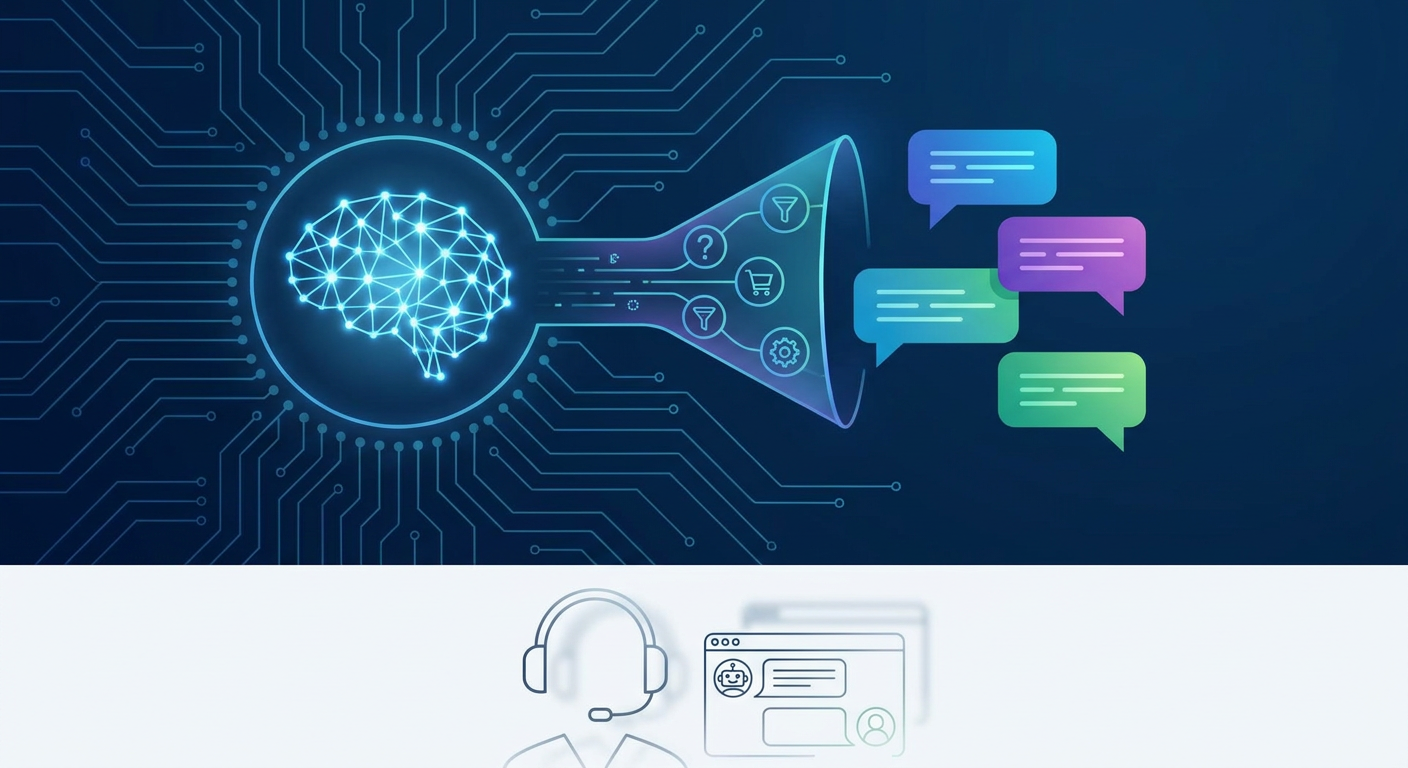
If you're trying to figure out how to leverage ai customer service automation small business leaders need to know that modern AI agents are a completely different breed than legacy chatbots. Standard bots are incredibly literal. They look for keywords. If someone types "refund," they get a link. But what if a frustrated customer types, "I'm incredibly disappointed with this purchase and want my money back"? A keyword bot will either freeze up or serve a brutally dry, auto-generated response.
That's why a robust intent detection (NLP classification layer) is a total game-changer. Think of it as your system's translation engine. Powered by Natural Language Processing (NLP), it doesn't just scan for matches; it analyzes syntax, grammar, and emotional undertone to group different phrasings into a single, clean category. Take a look at this contrast:
- Raw Input: "Hey, my order hasn't arrived yet... it was supposed to be here on Tuesday. Can you help?"
- Keyword Matching: Looks for "order" or "arrived" (which often triggers false positives).
- NLP Classification Layer: Flags the core intent as
shipping_delay_inquirywith a high confidence score, while noting a mildly negative customer sentiment.
Once you've mapped these inputs to structured intents, your system can trigger the exact right workflow—whether that's calling an internal shipping API, querying a secure database, or pinging a live support agent. If your goal is to automate customer support without losing customers, this translation step is where the magic happens.

2. How Do You Make an AI Chatbot Sound Human? Crafting Tone-of-Voice Training Prompts
If intent detection handles *what* the customer wants, your tone-of-voice training prompts govern *how* your brand responds. Leave an LLM to its own devices, and it'll default to that dry, overly polished corporate-speak that instantly signals "I'm a robot." It’s the fastest way to kill user engagement.
When you're building out ai chatbot personalization techniques, think of your prompts as a detailed employee handbook, not just a casual suggestion. Telling your AI to "be polite" isn't enough. You need to structure its personality with clear, non-negotiable boundaries. I recommend breaking your instructions down into three layers:
- Role & Identity: Define exactly who the AI represents (e.g., "You are Clara, the digital twin receptionist for a boutique beauty clinic").
- Rules of Engagement: Establish strict rules for the chat style (e.g., sentence lengths, active listening habits, and specific emojis to use or avoid).
- Handling Negativity: Outline clear behavioral guardrails for managing anxious, angry, or confused users.
Here is an operational example of a tone-of-voice prompt configuration:
SYSTEM PROMPT CONFIGURATION:
- Role: Digital Twin for Casa Verde Restaurant.
- Tone: Warm, welcoming, culinary-expert, hospitable.
- Style Rules:
  * Limit responses to under 3 sentences unless explaining a complex menu item.
  * Never use technical jargon like "I am an AI" or "Based on my training data."
  * Use friendly, subtle food emojis (e.g., ☕, 🍕) but limit to one per message.
- Boundary Conditions:
  * If a customer asks about allergens, reference the exact verified ingredients.
  * If a customer expresses anger about a late delivery, express empathy, state that you are flagging it for immediate management correction, and offer the direct human contact number.
With platforms like Qret.me, you don't need a degree in prompt engineering to set this up. You can build an AI agent that pulls facts directly from your service lists and business documents, acting as a genuine "digital twin" that sounds exactly like your brand—day or night.
3. Managing Context: Customer Context Memory (Session vs. Persistent)
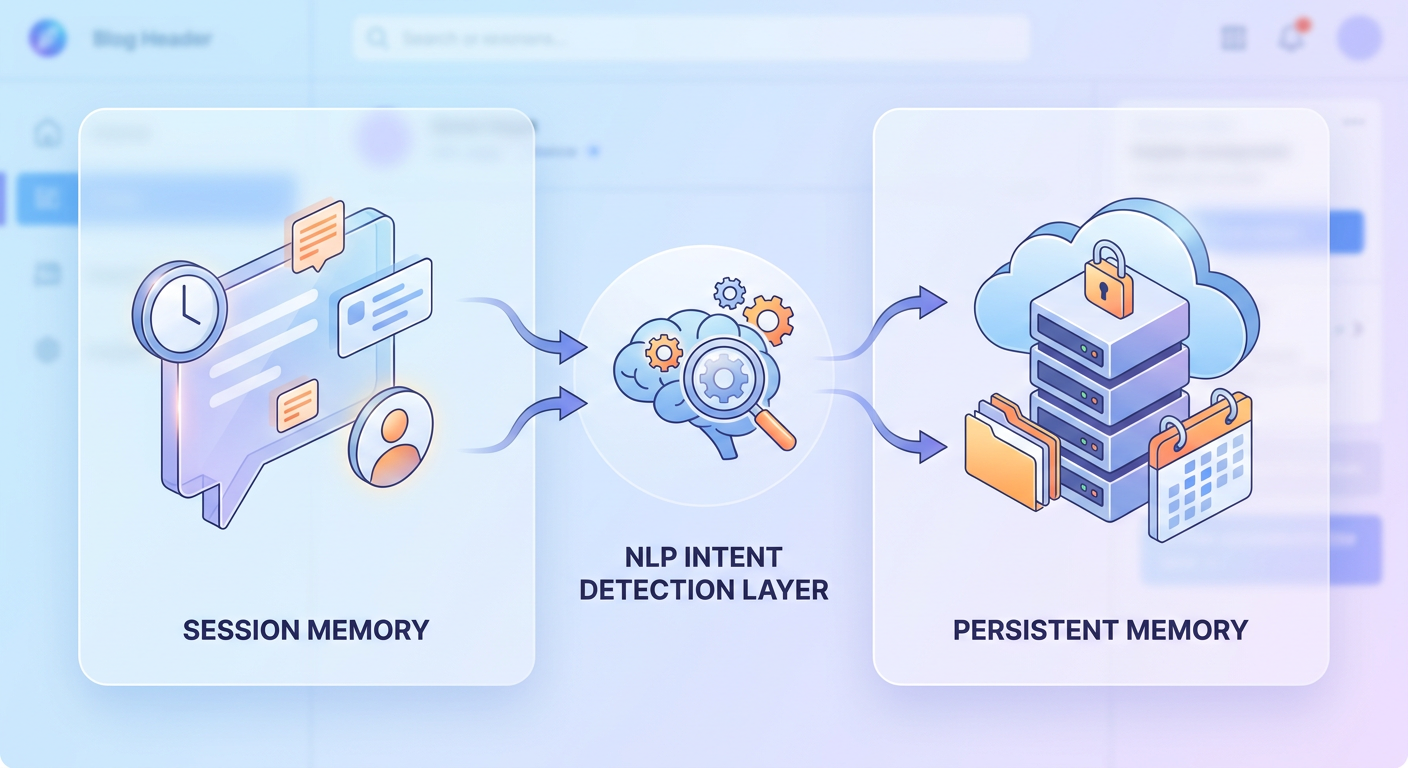
Let's face it: there is nothing more annoying than having to repeat your order number or email three times in a single chat. If you want your automation to feel human, your system needs to remember things. This means balancing two distinct types of storage: session memory and persistent memory.
| Feature | Session Context Memory | Persistent Context Memory |
|---|---|---|
| Scope | Limited to the current active chat session. | Spans multiple interactions over weeks or months. |
| Data Stored | Immediate user goals, current intent, and temporary variables (like a pending booking slot). | Customer name, contact details, transaction history, past preferences, and satisfaction flags. |
| Underlying Tech | In-memory caching (e.g., Redis or a short-term variable array). | Database storage synced via webhook to CRMs (like HubSpot or Zoho). |
| Impact on Personal Touch | Ensures the conversation flows naturally without circular questions during a single chat session. | Powers proactive greeting personalization (e.g., "Welcome back, Sarah! Are we checking on your appointment for Friday?"). |
When you link these two types of memory, your AI agent can use historical data to change how it speaks. For instance, if the database flags that a customer has ordered three times this month, the AI can pivot to a VIP tone, dropping in custom perks or thank-yous. Curious about how this looks in practice? Take a peek at how integrated customer management works on the Qret.me All Features list.
4. Defining Guardrails: Fallback Escalation Threshold and Human Handoff Conditions
Even the smartest AI has its limits. Complex issues, raw frustration, or unusual edge cases will always need a human touch. Knowing exactly when to escalate from chatbot to human agent is what separates great automation from a customer service disaster.
To keep things running smoothly, you need to set a strict fallback escalation threshold (confidence score cutoff). Every time a customer messages your agent, the intent detection layer assigns a confidence score to its classification. If that score dips below your threshold—say, 75%—the AI should immediately stand down. Don't let it guess; guessing leads to hallucinations and angry users.
Alongside confidence thresholds, your playbook should outline specific, real-time trigger conditions for human handoffs:
- Real-time sentiment tracking: Keep an eye on the emotional temperature of the chat. If the user's tone turns sharp, defensive, or frustrated, hand the chat over to a live agent immediately.
- Loop detection: Don't let your AI get stuck in a rut. If a customer has to repeat their question three times, sound the alarm and pass them to a real human alongside the full chat history.
- VIP fast-tracking: If persistent memory identifies a high-value account or active lead, don't make them wait. Route high-intent sales questions directly to your account managers.
- Absolute transparency: Respect opt-in disclosure / AI transparency best practices. Let users know they're talking to an AI, and always offer an obvious "Talk to a Human" button. Hiding the exit ramp ruins trust instantly.
These safety nets ensure your AI operates as an assistant, not a wall. If you're building out a booking funnel, this kind of seamless handoff is critical to keeping high-value clients happy. We dive deep into this strategy in our Online Booking Integration Playbook.

5. Building an Accurate AI Knowledge Base / FAQ Corpus and Webhook-Based CRM Sync
Your AI is only as smart as the data you feed it. A common mistake I see is dumping raw, unformatted documents into a model and hoping for the best. To keep your system accurate, you have to build a clean, curated AI knowledge base / FAQ corpus.
Keep it simple and direct. Don't upload a massive, rambling employee manual. Instead, break your rules, shipping policies, and prices into clear, factual sentences. When your knowledge base is structured this way, the semantic search tool can pull correct answers instantly.
But answers are only half the battle. To make the interaction feel truly personal, you need a webhook-based CRM sync (e.g., HubSpot, Zoho). When your AI collects an email or books a call, it should immediately push that data to your CRM. Here's a quick look at how that data loop functions:
+-----------------------+      Matches      +----------------------------+
|  Incoming Chat Query   |  ===============> |  NLP Intent Classification |
+-----------------------+                   +----------------------------+
            ||                                             ||
            || Evaluates Context                           || Pulls Facts
            \/                                             \/
+-----------------------+                   +----------------------------+
|  Persistent DB / CRM  |                   |   AI FAQ Knowledge Base    |
+-----------------------+                   +----------------------------+
            ||                                             ||
            +======================+=======================+
                                   ||
                                   \/
                    +------------------------------+
                    | Fully Formulated AI Response |
                    +------------------------------+
This loop ensures that your business tools actually talk to each other. When a client books an appointment, their record is updated instantly. Next time they message, your AI starts the chat with all the context it needs to deliver a genuinely tailored greeting.
6. Crucial Performance Metrics: Response Latency, CSAT Benchmarking, and FCR
How do you actually know if your automated setup is doing its job? It isn't enough to just look at deflection rates—you need to know if your customers are actually happy. To measure real success, focus on these three vital metrics:
I. Response Latency Expectations (The Sub-3-Second Rule)
When people use chat apps, they expect answers immediately. If your system takes more than five seconds to respond, it feels broken, and users will simply leave. That's why you should aim for a response latency expectation (sub-3-second rule). High-performing platforms, like the Qret.me AI Digital Twin agent, use optimized infrastructures to process context and stream replies in under two seconds.
II. CSAT Score Benchmarking Post-Automation
Never guess how your customers feel—ask them. Set up automated CSAT surveys right after a chat ends. If your automated satisfaction score falls below your benchmark (usually around 80-85%), something is off. It usually means your prompt tone is too cold, your intent matching is failing, or you're not handing off to humans quickly enough.
III. First-Contact Resolution Rate (FCR)
At the end of the day, your first-contact resolution rate (FCR) is the ultimate metric. If a customer has to reach out three separate times for a basic booking issue, your automation isn't helping. A solid NLP system should resolve at least 70% of routine questions on the very first try.
7. Implementation Playbook: Setting Up Your Qret.me AI Digital Twin Agent
Let's be realistic: building a custom AI pipeline from scratch is incredibly complex. That's why tools like Qret.me are so valuable. Instead of forcing you to string together five different subscriptions, Qret wraps your bio links, online booking, menus, QR codes, and custom AI into a single dashboard. It essentially creates a "Digital Twin" of your business.
This system learns directly from your specific service blocks, schedules, and policies. It answers customer questions around the clock, books clients on autopilot, and speaks several languages—including English, Turkish, Farsi, Arabic, and Spanish—so you never miss an international lead.
How Qret Users Achieve Real-World Success:
- "Bella Studio" (Istanbul): They were drowning in over 40 phone calls a day just to schedule salon appointments. By placing a custom QR code linked to a Qret Booking Block on their front door and Instagram profile, they cut phone inquiries by 90% while actually tripling their weekend bookings.
- "Casa Verde" (Ankara): They got tired of updating physical menus and constantly answering allergen questions. They linked a Qret Digital Menu to an AI assistant that explains ingredients in real-time, completely freeing up their staff.
- "Dr. Karimi" (Tehran): They used a Qret AI triage agent to handle basic pre-visit questions and booking. The result? A 60% drop in phone line congestion.

Step-by-Step Configuration Strategy:
- Claim your space: Sign up at Qret.me and pick a visual style that fits your brand's aesthetic.
- Build your core details: Fill out your Qret blocks with your services, open calendar spots, and catalog items. This becomes your AI's custom knowledge library.
- Design the personality: Choose an agent persona—like a helpful concierge or a friendly assistant—and set your specific tone rules.
- Turn on automation: Link up Qret’s Instagram Auto-Reply feature. The AI can instantly handle DMs and comments, turning casual browsers into booked clients while you sleep.
- Track and adjust: Use the Growth Engine & Analytics dashboard to watch visitor behavior, trace traffic sources, and fine-tune your messaging.
8. Frequently Asked Questions
What is intent detection in NLP and why does it matter?
Intent detection is the AI process of figuring out what a customer actually wants, rather than just searching for direct keywords. By analyzing context and conversational phrasing, it allows your system to deliver accurate, helpful answers instead of frustrating default errors.
How does a fallback escalation threshold protect customer satisfaction?
Think of it as a safety net. If the AI's confidence score drops below your set limit (say 75%), it stops trying to guess and hands the conversation over to a human. This keeps your customers from getting stuck in frustrating, robotic loops.
What is the difference between session memory and persistent memory?
Session memory only lasts for the active conversation, keeping track of things like a current booking process. Persistent memory is stored long-term in your database or CRM, letting the AI recognize returning customers, remember past orders, and personalize its greeting.
Are AI chatbots and LLM-powered AI agents the same thing?
Not at all. Traditional chatbots rely on rigid rules and exact keyword matches. Modern LLM-powered agents (like the Digital Twins you can build on Qret.me) understand tone, read context, and can easily hold dynamic conversations using your business details.
Why is the sub-3-second rule important for response latency?
In modern chat interfaces, speed equals satisfaction. If your automated support takes longer than 3 seconds to reply, users will assume the tool is broken or slow, leading to high drop-off rates. Fast replies keep the conversation natural.
Can Qret.me handle automated bookings and customer support simultaneously?
Absolutely. Your Qret Digital Twin pulls data directly from your calendar, services, and FAQ blocks. It can answer pre-booking questions and guide users to schedule an appointment directly on your live calendar.
Does Qret.me charge a fee for every conversation?
Qret uses a straightforward credit system. Every plan (including the Free plan) comes with 100 free AI credits per month. Each word generated uses a tiny fraction (0.01 credits). If you need more, you can buy affordable, non-expiring credit packs from your dashboard.
Balancing Automation with Brand Empathy
Scaling your customer service shouldn't mean turning your brand into a faceless machine. When you pair an intent detection (NLP classification layer) with strict tone-of-voice training prompts and a smart human handoff trigger, you get the best of both worlds: lightning-fast responses and a surprisingly empathetic customer experience.
You don't need a massive enterprise budget or a team of developers to get started. Platforms like Qret.me let you build a ready-to-go AI Digital Twin that syncs your booking, answers detailed product questions, and manages your leads 24/7. Create a free account today and see how simple it is to scale your support while keeping things deeply personal.