

How to Use the wa.me Click-to-Chat URL Format for Your Bio Link
Online business moves at breakneck speed. If you're still forcing potential clients to save your phone number to their contacts before they can drop you a message, you're actively killing your sales. To scale your digital marketing, you need to eliminate every ounce of friction. That's where the wa.me click-to-chat URL format comes in — it lets prospects launch a secure, direct chat with your brand in a single tap.
To set up a WhatsApp link in your bio, format your phone number using the international E.164 standard. Next, drop that number into the wa.me click-to-chat URL format template (https://wa.me/<number>). You can customize it further by appending a pre-filled message parameter (?text=) to guide the conversation. Finally, instead of pasting this raw link in your bio, route it through a dedicated bio link page to filter spam and track your traffic.
🔑 Key Takeaways
- Exact Formatting: Ditch the spaces, dashes, and plus signs. Your phone number must strictly adhere to the clean E.164 international standard.
- Helpful Pre-filled Text: Take advantage of the pre-filled message parameter (
?text=). It nudges prospects on what to say first and tells you exactly what they want. - Use a Routing Page: Raw WhatsApp links invite headaches (and spam). Protect your inbox by routing users through a smart, dedicated bio link page first.
- Track Your Success: Don't fly blind. Implement custom UTM parameters so you know exactly which social channel is driving your best WhatsApp leads.
Understanding the wa.me Click-to-Chat URL Format and Syntax

If you're building a high-converting WhatsApp funnel, everything rests on the official wa.me click-to-chat URL format. Created by Meta, this simple redirect service lets users bypass the annoying process of saving a phone contact. Instead, it instantly launches the WhatsApp app on mobile devices or brings up WhatsApp Web on a desktop. (If you want to read Meta's technical breakdown, you can head over to the official Meta Click to Chat guide.)
While constructing the wa.me click-to-chat URL format is incredibly straightforward, it's surprisingly easy to get wrong. Let's look at the basic structure first:
https://wa.me/<number>The magic happens in that <number> placeholder — but only if you format it using the E.164 standard. Designed by the International Telecommunication Union (ITU) to prevent global routing conflicts, this layout requires you to strip away everything that isn't a digit. That means no spaces, no dashes, no parentheses, and absolutely no leading zeros or plus signs.
To illustrate, let's say your US-based business number is (555) 123-4567. Since the US country code is 1, here's how the links compare:
- Incorrect:
https://wa.me/+1-(555)-123-4567(the plus sign and symbols break it) - Incorrect:
https://wa.me/0015551234567(don't add international access codes like 00) - Correct E.164 Format:
https://wa.me/15551234567
Get this wrong, and your prospect gets smacked with an ugly "invalid phone number" error screen instead of a friendly chat window. That's a quick way to lose a hot lead.
Enhancing the wa.me Click-to-Chat URL Format with Custom Messages
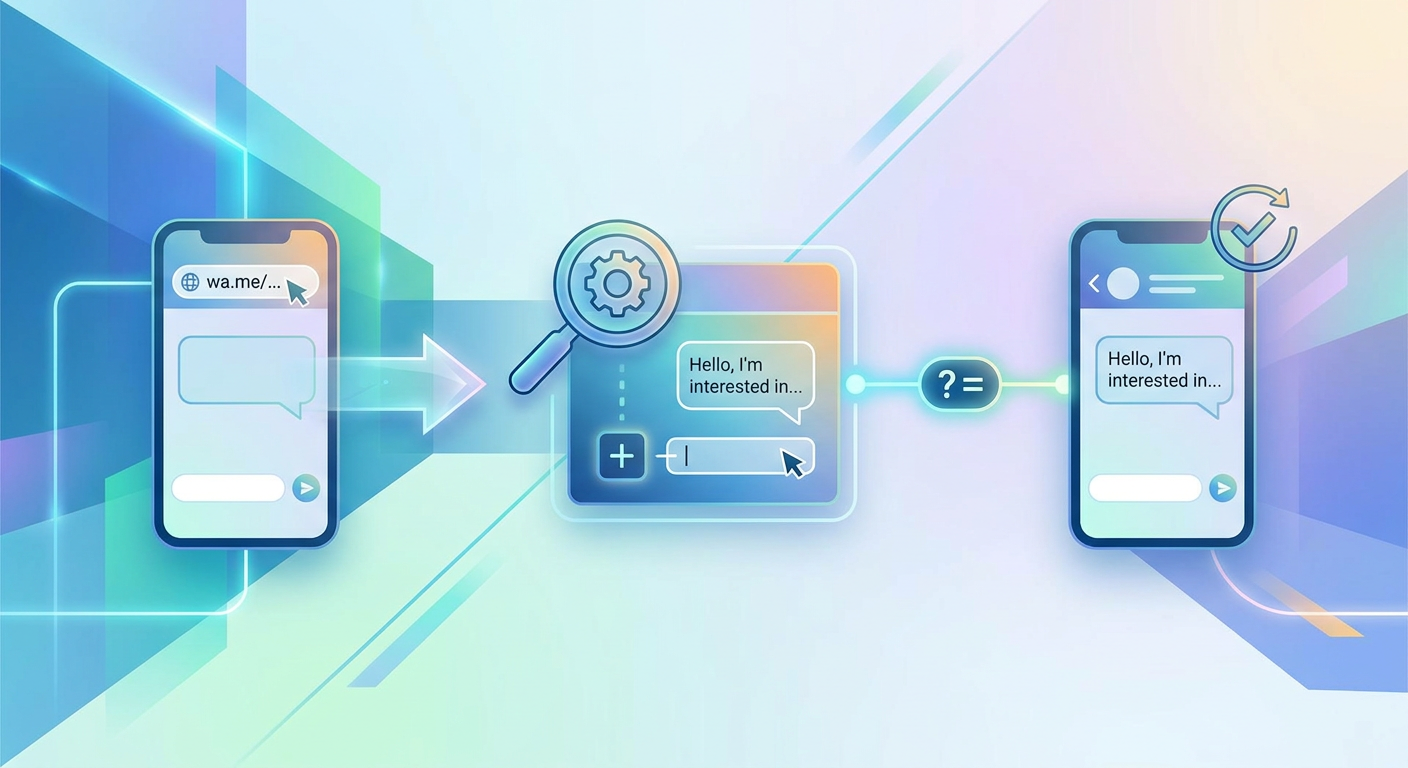
There's nothing more intimidating than a blank screen. When a prospect opens a fresh chat window and faces a flashing cursor, they often hesitate — or worse, close the app. By appending a pre-filled message parameter (?text=), you can write their opening line for them. It takes the guesswork out of the interaction, letting them kick off the conversation with a single tap.
To do this, simply append ?text= to the end of your wa.me click-to-chat URL format. However, keep in mind that browsers don't play nice with raw spaces or special punctuation characters. You need to convert your text into a URL-encoded format first.
In practice, this means spaces turn into %20, exclamation marks become %21, and line breaks are represented by %0A. It looks a bit messy to human eyes, but it guarantees your link will load flawlessly on any device.
Standard Custom Intake Examples:
Say you want the user's drafted message to say: "Hi! I am interested in booking a consultation."
Your URL-encoded version will look like this:
Hi%21%20I%20am%20interested%20in%20booking%20a%20consultation.By sewing this directly into your wa.me click-to-chat URL format, you've created a seamless path for the user. Here's your final link:
https://wa.me/15551234567?text=Hi%21%20I%20am%20interested%20in%20booking%20a%20consultation.The best part? You can tailor these templates depending on where the link is living. An Instagram link can start with ?text=Hi%20Instagram..., while a QR code on a flyer might say ?text=Hi%20Flyer.... This gives your sales team instant context on how each prospect arrived.
WhatsApp Business API vs WhatsApp Business App: Scale Your Setup
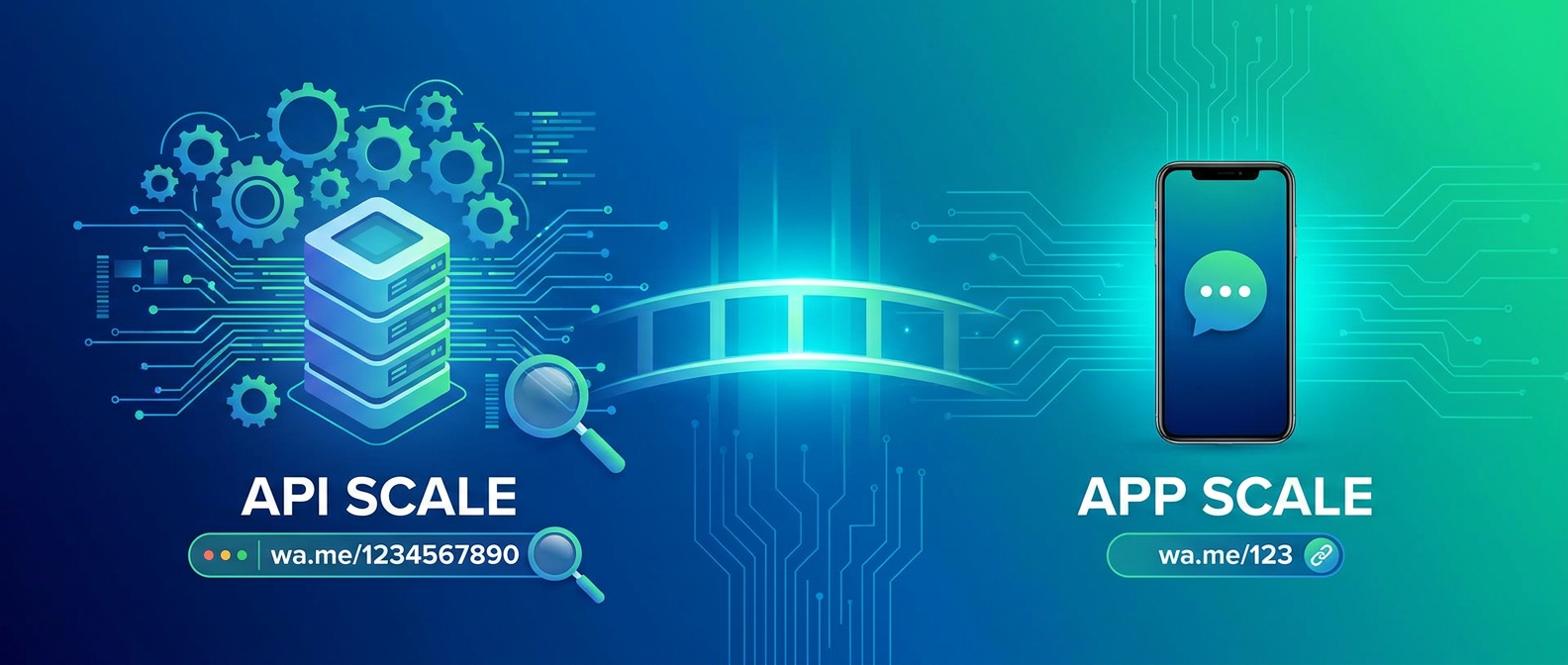
Before blasting your link out to the masses, it's worth taking a step back to evaluate your infrastructure. Deciding between the WhatsApp Business API vs WhatsApp Business App will dictate your features, team scaling limits, and your monthly budget.
| Feature | WhatsApp Business App | WhatsApp Business API | Qret.me AI Routing Layer |
|---|---|---|---|
| Best For | Solo-preneurs & Small Brands | Mid-market & Large Brands | Creators, Agencies, SMBs |
| Setup Time | Instant (App Download) | Days (Developer Console Setup) | Instant (No-code Setup) |
| Cost | Free | Per-conversation fees apply | Free and affordable paid plans |
| Multi-User | Up to 4 devices | Unlimited (Requires external CRM) | Unlimited (AI agent handles chats) |
| Automation | Basic away messages | Custom AI flows and webhooks | 24/7 Custom AI Twin |
For solo-preneurs, the standard WhatsApp Business App works beautifully. But once your business starts pulling in dozens — or hundreds — of clicks a day, keeping up manually becomes a nightmare. It simply lacks the automation depth and detailed analytics you need to scale.
On the flip side, the Enterprise API can process massive volumes of chats and hooks right into your CRM. The catch? You'll need developer skills to set it up, and Meta will charge you fees for every conversation. Thankfully, there's a highly efficient middle ground: routing your wa.me click-to-chat URL format through a smart intermediate landing page to filter leads before they hit your phone.
Why the Naked wa.me Click-to-Chat URL Format Fails in Bios
It's tempting to copy your raw wa.me click-to-chat URL format link and paste it directly into your Instagram or TikTok bio. Don't. It's a strategic mistake that usually leads to a few frustrating bottlenecks:
- Bio Character Limits: Platforms restrict bio length. Once you add custom text, parameters, and UTM codes, your link will quickly get cut off.
- Unqualified Leads: Naked links make starting a chat *too* easy for tire-kickers. You'll spend hours wading through low-intent, spammy messages.
- The Midnight Black Hole: When someone clicks your link at 2 AM and gets radio silence, they move on. Without dynamic off-hours management, you lose them.
- Broken Web Tracking: Jumping directly from a browser to the WhatsApp app breaks your referral data. You won't know if your clicks came from organic search or a specific social post.
Deploying a smart link-in-bio page as a routing layer fixes all of this in one swoop. Instead of dumping visitors directly into an empty chat box, you route them through a polished, professional micro-landing hub first.
Tools like Qret.me let you build a gorgeous, on-brand interface that acts as an intelligent buffer. You can pack this space with useful, structured elements:

With a Qret.me bio link page, you can showcase a prominent WhatsApp CTA alongside scheduling calendars, digital products, and dynamic FAQs. Tire-kickers find answers right on the page, while serious leads comfortably click through to chat with you.
This approach has a massive real-world impact. Take Dr. Karimi, a clinic owner in Tehran. His front desk was constantly overwhelmed by patients calling to ask basic pre-appointment questions. By launching a custom landing page with an integrated booking workflow and a WhatsApp router, he cut phone inquiry volume by 60%, giving his staff more breathing room to care for in-person patients.
How to Set Up UTM Parameter Tracking on WhatsApp Links
If you aren't measuring your marketing, you're essentially burning money. That's why setting up UTM parameter tracking on WhatsApp links is non-negotiable. Standard UTM tags help tools like Google Analytics attribute where your most valuable conversations originate.
Here's the technical catch: you can't run tracking pixels or analytics scripts inside Meta's WhatsApp application. The second a user clicks a raw wa.me click-to-chat URL format link, their browser closes and the native app fires up, severing the tracking chain. In your dashboard, these visitors will simply show up as "Direct" or "Unknown" traffic.
The solution? You have to capture their source data *before* they exit your web property. Here are the two most elegant ways to make this happen:
Method A: Tracking Clicks on Your Bio Link Page
Routing traffic to a custom landing page (like qret.me/yourbrand) gives you full control over your data pipeline:
- Tag your bio link with custom parameters:
https://qret.me/yourbrand?utm_source=instagram. - When a user visits, your tracking system records their referral source and session data.
- The moment they click the WhatsApp button, the event is logged and tied back to their original entry point.
Method B: Using a Smart URL Shortener
Maybe you want a direct link but don't want to clutter your profiles with a string of messy tracking code. Use a smart shortener instead. Through Qret.me's URL Shortener, you can spin up clean, compact redirects like qret.me/chat. The platform captures and logs the user's data in real-time just before routing them directly to your WhatsApp.
Step-by-Step Guide: Building Your Automated Funnel
Ready to build a lead generation machine? Let's walk through the exact steps to combine the wa.me click-to-chat URL format with a high-converting routing layer.
Step 1: Format Your Number for the wa.me Click-to-Chat URL Format
Start by converting your phone number into its E.164 standard. If you have a UK mobile number like 07123 456789, strip the leading zero and drop the spaces. That leaves you with 447123456789, making your base link: https://wa.me/447123456789.
Step 2: Add Your Pre-filled Text
Now, draft the perfect icebreaker. Something like: "Hello! I want to ask about your services. My name is [Name] and my site is:". Run that message through a URL encoder and tack it onto your base URL: https://wa.me/447123456789?text=Hello%21%20I%20want%20to....
Step 3: Set Up Your Routing Page
Next, grab your account over at Qret.me. Use the drag-and-drop builder to craft a clean page, adding these essential blocks:
- Brand Identity: Upload your logo and write a compelling, concise bio.
- AI Assistant: Activate your custom Qret AI Assistant to handle immediate questions around the clock.
- Primary CTA: Build a high-contrast button featuring your newly minted custom WhatsApp URL.
- Secondary Conversions: Embed a booking block for visitors who are ready to schedule a call on the spot.
This exact layout has generated incredible results. Bella Studio, a popular beauty clinic in Istanbul, set up a custom routing page powered by a dynamic booking QR code and a direct WhatsApp button. The clinic managed to automate almost all their bookings, slashing inbound phone calls by a staggering 90%.
Compliance and Conversions: Securing Your wa.me Click-to-Chat URL Format
With privacy regulations constantly tightening, bridging the gap between social media platforms and personal chat apps requires some caution. Because a user must tap "send" on their own end, you generally have implied consent to message them on WhatsApp. That said, the second you port their information over to a CRM, you'll need to strictly adhere to data protection regulations.
Using a smart landing page as an intermediary makes compliance a breeze. You can easily link your official Privacy Policy and a GDPR disclosure in your page's footer. Plus, hosting a routing page lets you safely run tracking pixels to feed clean click data back to your ad networks for retargeting.
Frequently Asked Questions
Is the wa.me click-to-chat URL format completely free to use?
Yes, absolutely. Generating and clicking standard wa.me links won't cost you a penny. However, if you scale up to the official enterprise WhatsApp Business API to run high-volume marketing campaigns, Meta will charge per-conversation rates depending on the recipient's country code.
Why does my WhatsApp link show an invalid phone number error?
This is almost always a formatting issue. Make sure you're strictly using the E.164 standard. Double-check that you've stripped out spaces, brackets, plus signs, dashes, and any leading zeroes before your country code.
How can I add line breaks to my custom message?
Just use the URL-encoded line break character, which is %0A. For example, structuring your link like https://wa.me/15551234567?text=Line1%0ALine2 will push your text onto two separate lines.
Can I track UTM parameters on a raw WhatsApp link?
Unfortunately, no. The instant jump from a browser to a mobile application breaks the tracking loop. To capture your traffic sources, you'll need to funnel users through an intermediate bio link page or use a tracked short URL.
What is the difference between Click-to-WhatsApp Ads and bio links?
Bio links are static, free resources placed in your social profiles. Click-to-WhatsApp Ads, on the other hand, are paid campaigns on Facebook or Instagram that embed a native chat button directly inside the feed with built-in conversion tracking.
How does an AI chatbot bio link help manage inquiries?
An AI assistant operating on your landing page can field repetitive questions about hours, rates, or services 24/7. This pre-qualifies your traffic so only high-intent leads land in your WhatsApp queue.
Does Qret.me support custom domains and tracking?
Yes, it does. Qret.me lets you connect your own custom domain so your links look highly professional. Plus, the built-in analytics engine gives you real-time visibility into your clicks, views, and referral sources.
Elevate Your Bio Link Funnel with Qret.me
Deploying the basic wa.me click-to-chat URL format is a solid first step toward reducing customer friction. But let's face it: in a hyper-competitive market, a naked, boring list of links just doesn't cut it anymore.
This is where Qret.me steps in. Think of it as a comprehensive, AI-powered digital twin of your business. It allows you to ditch a dozen fragmented, expensive SaaS tools by packing bio links, scheduling calendars, storefront catalogs, dynamic QR codes, and custom AI agents into one sleek dashboard.
Routing your bio link traffic through a customized Qret.me landing page unlocks a suite of powerful growth tools:
- AI Assistant: Easily train an AI agent on your brand's unique info. It can answer questions in real-time, 24/7, across multiple languages, passing only qualified, high-value leads directly to your WhatsApp.
- Smart Booking: Stop the back-and-forth scheduling headache. Let clients lock in consultations or service times using a built-in booking block.
- Digital Menu & Catalog: Feature your product catalog or menu complete with photos and pricing so users can browse and buy directly from your page.
- Dynamic QR Codes: Generate fully branded Dynamic QR Codes for print media that you can update on the fly without ever reprinting your materials.
- Secure Storage: Safely host and distribute digital downloads, portfolios, or key files straight from your hub via the Identity Vault.
Whether you're an independent creator, a bustling local shop, or a fast-growing agency, pairing the wa.me click-to-chat URL format with Qret's smart routing layer will save you countless manual hours and supercharge your conversion tracking.
Ready to stop wasting time on unqualified leads and run your brand's inbound pipeline on autopilot? Create your free Qret.me account today and establish your AI-powered hub in just a few minutes.