How to Set Up QR Code Ordering for a Food Truck: Complete 2026 Guide
Running a mobile food gig in 2026 is all about speed and adaptability. One minute you're handling a massive downtown lunch rush, and the next you're setting up at a dusty weekend festival—which means your menu has to change on a dime. Getting a smooth contactless setup running starts with a simple choice: the classic battle of dynamic QR code vs static QR code (why dynamic is non-negotiable for food trucks with rotating menus). Let's be honest—traditional sit-down restaurant advice won't help you much when you're battling sketchy cellular signals and baking in the sun.
To get QR code ordering working on your truck, link a dynamic QR code generator directly to a mobile-optimized, web-based digital menu that talks to your POS system. Next, stick durable, weatherproof QR codes right on your service counter and truck window. This lets hungry customers scan, tweak their orders, and pay right from their phone's browser—no annoying app downloads required—while sending tickets straight to your kitchen screen.
- Dynamic Is King: You absolutely need dynamic QR codes to swap out menu items on the fly without wasting money reprinting stickers.
- Zero App Friction: Don't make people download yet another app just to buy a taco; stick to smooth, web-based contactless ordering systems for food trucks instead.
- Hardware Resilience: Invest in a dual-SIM hotspot to keep orders flowing when crowded festivals crush local cell towers.
- Smart Placement: Stick matte laminates on your window—glossy ones catch the sun's glare, making them impossible to scan.
Understanding the Core Distinction: Scan-to-Pay vs. Scan-to-Order
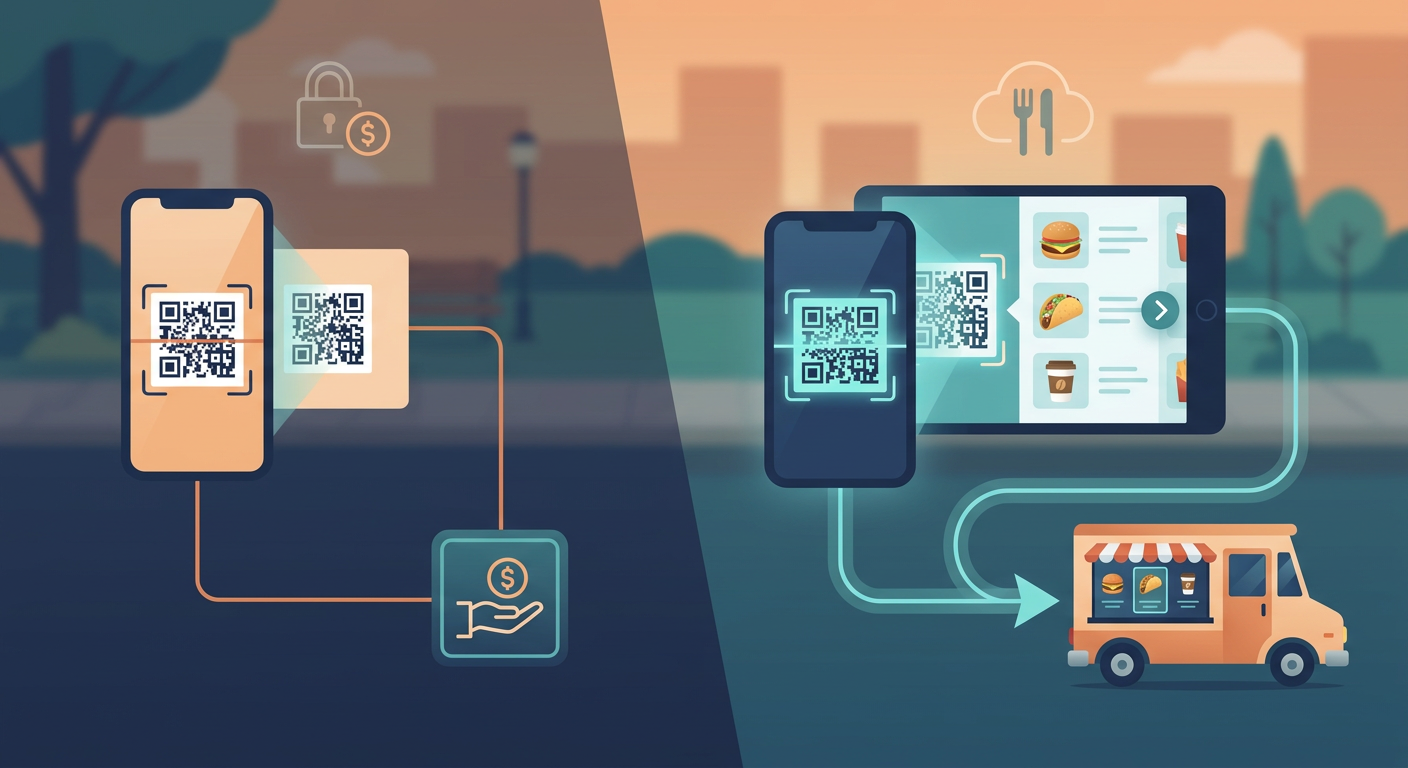
Before we get into the tech setup, let's clear up a common point of confusion: scan-to-pay versus scan-to-order. They sound similar, but they're completely different beasts. With a basic scan-to-pay setup, your customer still walks up, talks to your cashier, and orders verbally. They only scan a QR code at the end (on your screen or receipt) to pay. Sure, it keeps dirty cash out of your hands, but it does absolutely nothing to cut down those massive queues.
On the flip side, a true contactless ordering system for food truck setups uses a complete scan-to-order workflow. Customers scan a code stuck to the side of your truck—maybe while they're still 20 people back in line, or even sitting at a nearby park bench. They browse your menu, customize their order (extra cheese, no onions), and pay right there on their phone. Boom—the order shoots straight to your kitchen line. You bypass the cashier entirely, which is an absolute game-changer when you're trying to crush a hectic lunch rush.
Dynamic QR Code vs Static QR Code (Why Dynamic is Non-Negotiable for Food Trucks with Rotating Menus)
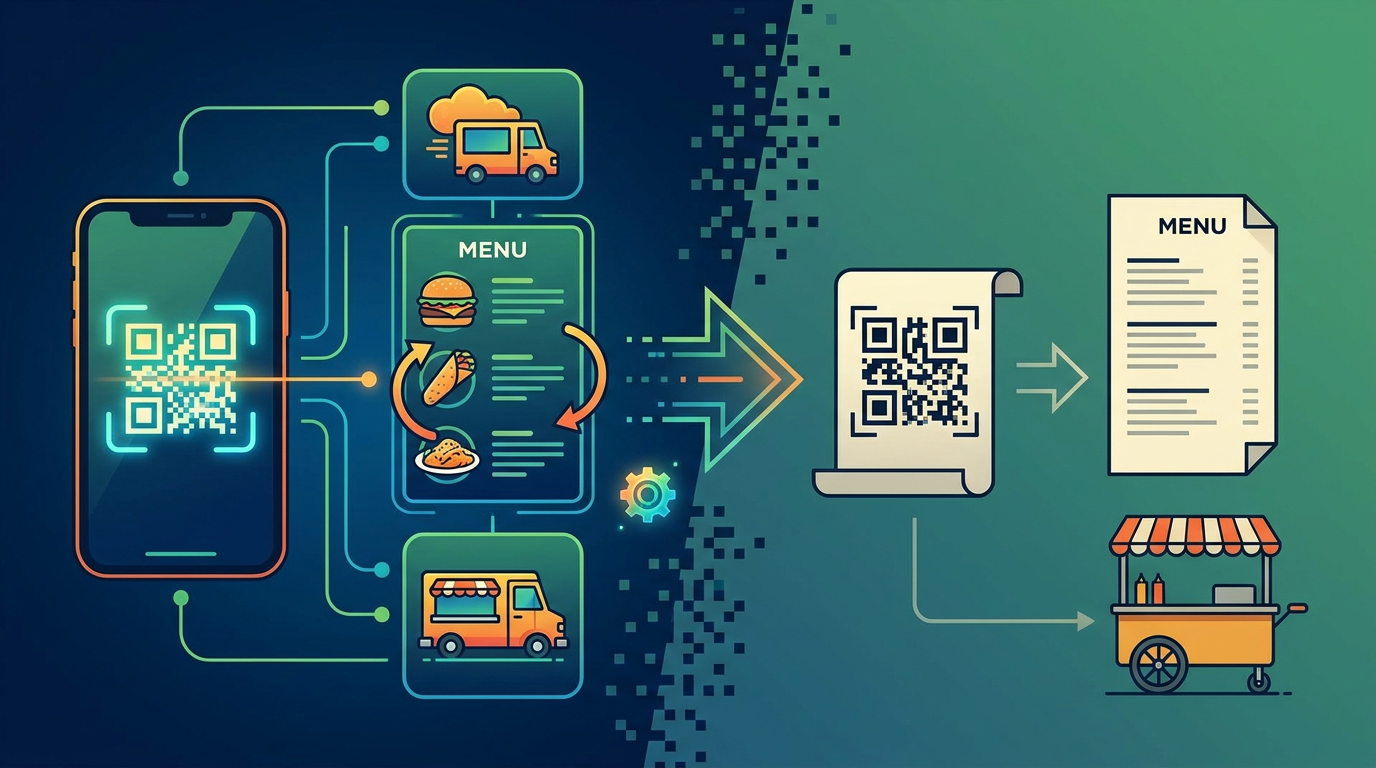
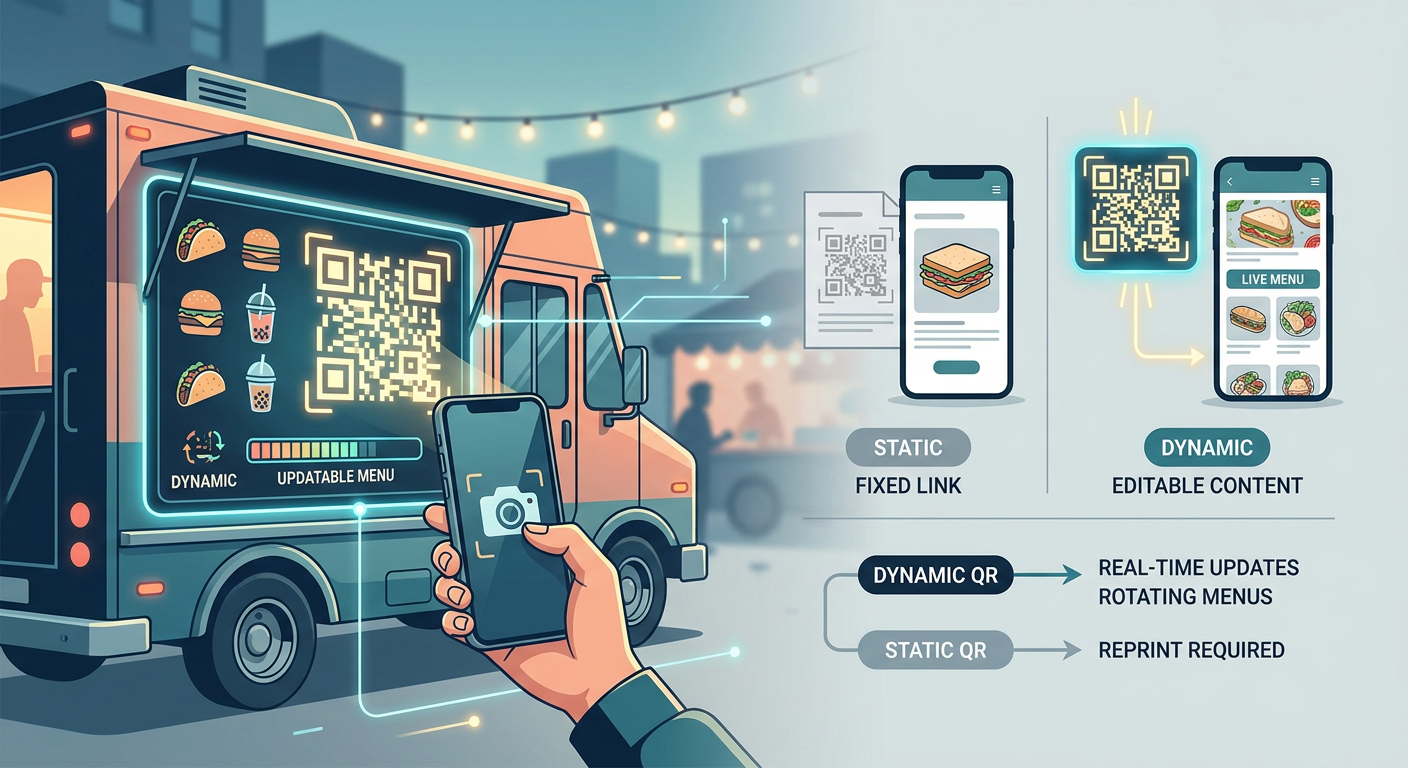
Choosing between static and dynamic codes is easily the most important tech decision you'll make for your truck. Think of a static QR code as a permanent tattoo: it hardcodes your menu's web link directly into the pattern. Once it's printed, you're stuck with it. If you change your website URL, or if you want to swap your standard weekday lunch menu for a limited-run festival lineup, that static code becomes a useless square. Your only option is to throw away your signage and reprint everything.
That's exactly why wrapping your head around a dynamic QR code vs static QR code (why dynamic is non-negotiable for food trucks with rotating menus) is so vital for survival. Dynamic codes point to a flexible middleman link. This means you can change your online menu, update your prices, or even switch to a different ordering provider behind the scenes in real time—all while the physical QR code printed on your truck window stays exactly the same. No reprinting required.
| Feature / Capability | Static QR Code | Dynamic QR Code (Recommended) |
|---|---|---|
| Menu Updates | You have to reprint everything if your link changes | Instant redirect online; physical sticker stays exactly the same |
| 86'd Items Handling | Slow and clumsy; basically impossible on a busy shift | Turn off sold-out items instantly on your phone |
| Scan Analytics | Zero data | Tracks scan counts, locations, peak times, and devices |
| Visual Footprint | Complex, dense pattern (trouble scanning in low light) | Simple, clean pattern (fast scans even from a distance) |
| Best Use Case | One-off events or linking to your main homepage | Busy, mobile food trucks with constantly shifting specials |
If you run a truck with rotating specials, dynamic codes will save you hundreds of dollars in printing costs. More importantly, they save you from the nightmare of angry customers ordering food you've already run out of. If your star brisket sells out at 1:15 PM, you can turn it off on your dashboard in three taps. Anyone scanning the code from the back of the queue won't even see it, saving your crew from awkward refunds and apologies.
POS Integrations: Square for Restaurants & Toast Go Compatibility
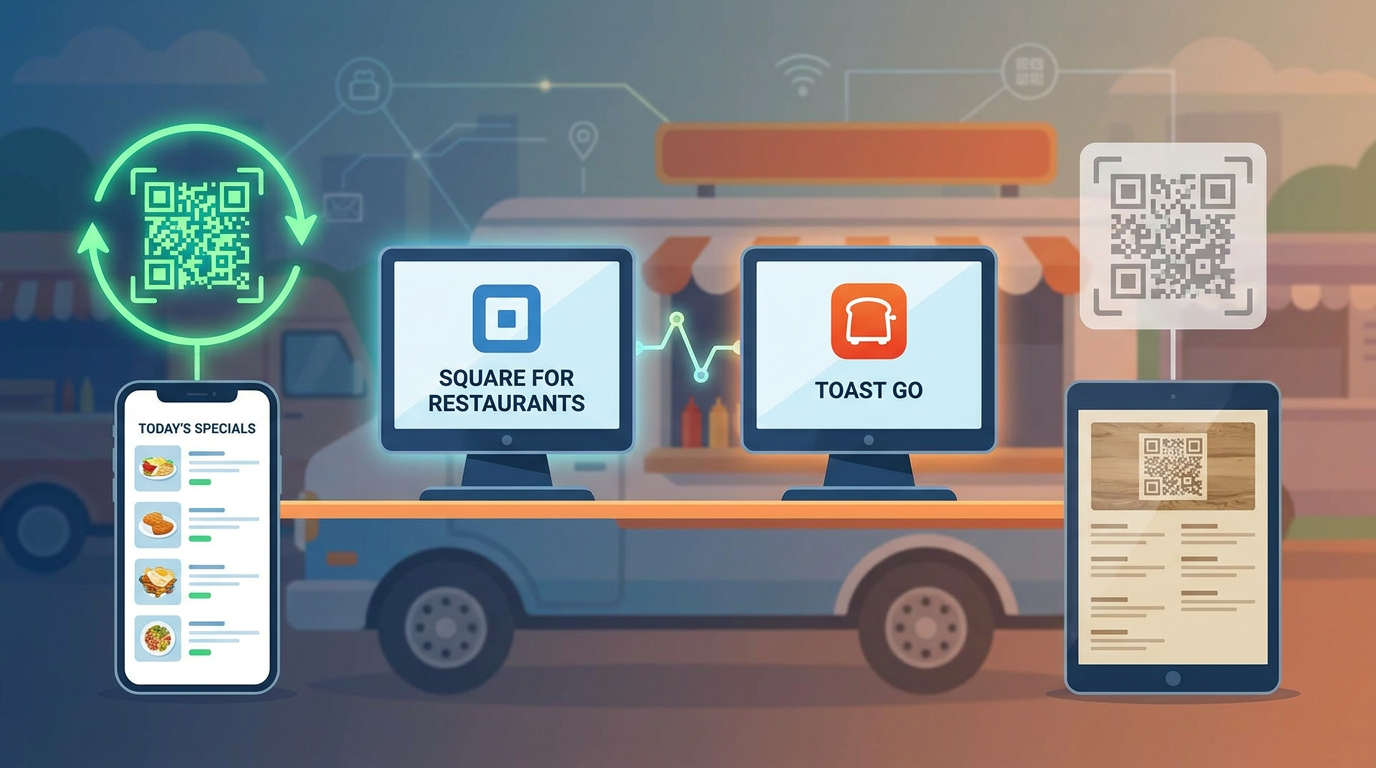
To pull off a seamless, app-free ordering system, your digital menu has to play nice with your Point of Sale (POS) hardware. If they don't talk to each other, you're going to end up manually typing online orders into your register while a line forms down the block. Proper integration ensures online orders and walk-up card payments feed into the same place.
If you're one of the many mobile operators using the Square for Restaurants QR ordering integration, you're in luck because the setup is remarkably painless. Your digital menu communicates directly with Square's API, which keeps your inventory counts accurate in real time. The moment a customer hits "pay" on their phone, the ticket spits out of your kitchen printer or pops up on your kitchen screen with a satisfying ding.
On the other hand, if you prefer running a rugged, hand-held setup, checking out Toast Go mobile POS compatibility is a brilliant move. Toast Go hardware lets you bust lines by taking face-to-face orders while managing incoming QR orders on the exact same screen. If you're running a solo operation, this is a lifesaver. You can set up your kitchen ticket workflow to hold mobile orders for a buffer of two or three minutes. This lets you batch your tickets nicely, so you can prep a group of orders together instead of getting constantly distracted by sporadic, single tickets popping up every 30 seconds.
Solving the Connectivity Crisis: 4G/5G Hotspots & Offline Fallbacks
Here is the hard truth: unlike brick-and-mortar spots with stable fiber-optic lines, food trucks are at the mercy of cellular networks. When thousands of hungry people crowd into a street festival, local cell towers get crushed. If your signal drops, your QR menu breaks, and your sales instantly flatline.
To avoid this nightmare, you need a rock-solid offline mode / cellular fallback (4G/5G hotspot as primary connection) strategy. Please, do not just rely on your personal phone's hotspot. Invest in a proper, rugged dual-SIM router (like a Peplink or Cradlepoint) that bonds connections from two different networks. If Carrier A drops out, the system automatically redirects traffic to Carrier B without you or your customers ever noticing.
Low-Bandwidth and Zero-Cost Fallbacks
But what if the cell tower goes down completely? You should always have a backup plan that uses next to zero bandwidth:
- Stripe Payment Link: Build a super-lightweight Stripe checkout page ahead of time. If your main menu app is lagging, change your dynamic QR link to point to this bare-bones checkout page—it loads instantly even on weak signals.
- WhatsApp Order Confirmation: Redirect your dynamic QR code to a wa.me link. This instantly opens a WhatsApp chat with your menu options pre-filled. The customer just hits send on their order text. Texts use tiny amounts of data, making this work perfectly when heavy, image-heavy web pages fail to load.
- Google Forms Backup: Keep a plain-text Google Forms as zero-cost order intake fallback saved on your dashboard. It loads incredibly fast even on patchy 3G networks. Customers can type in their name, number, and order, and you can simply read it off your screen and punch it into your register.
Step-by-Step Setup: Building a High-Converting Mobile Flow
Creating a smooth ordering flow is all about stripping away hurdles on a mobile browser. Your target? Get a hungry customer from scanning your code to finishing their checkout in under 45 seconds. Anything longer, and you risk them walking away.
Step 1: Visual Design with Mobile Viewport Focus
First, please stop uploading giant PDF menus. There is nothing worse than trying to pinch-to-zoom on a PDF in the middle of a crowded sidewalk. Instead, stick to a responsive web page. If you're building a Canva QR code menu design for mobile viewport use, set your canvas size to a 9:16 aspect ratio (like an Instagram Story). Keep your fonts above 16pt so they're readable in bright daylight, make your checkout buttons massive, and compress your photos to WebP format to keep load times lightning-fast. For a deep dive into how to set this up, take a look at our step-by-step guide on creating a digital menu QR code.
Step 2: Payment and Customization Flow
Your checkout flow needs to make paying brainless. Make sure you integrate Apple Pay, Google Pay, and Stripe. No one wants to stand on a freezing, windy street corner manually typing out a 16-digit credit card number. The fewer steps they have to take, the more cash you'll bring in during your peak hours.
Step 3: ADA Accessibility Compliance
Don't forget that outdoor ordering menus must play by ADA accessibility standards. Use high-contrast colors (which, handily enough, also makes your menu readable under direct glare from the sun) and make sure your page plays nice with mobile screen readers. Adding simple alt-text descriptions to your images means visually impaired customers can order their food smoothly without needing to ask your cashier for help.
Strategic Weatherproof QR Code Laminate Placement
Let's be real—your fancy digital menu is useless if your physical codes look like a wet mess. Cheap paper printouts will run the second it drizzles and fade under direct sunlight, leaving cameras completely unable to read the pattern.
Always spend a little extra on high-quality, weatherproof QR code laminate placement (truck window, menu board, order counter). Go for a matte-finish vinyl. Glossy stickers look nice indoors, but outside they act like mirrors—reflecting the sun right back into the phone's camera lens and breaking the scan.
Try plastering your codes across three key spots:
- The Truck Window: Slap a big (at least 8x8 inches) dynamic QR sticker directly on the glass near your pick-up window. This makes it easy for folks standing close to scan immediately.
- The Physical Menu Board: Pop a couple of QR codes in the bottom corners of your main menu board. This allows people stuck at the very back of a 30-person line to order without waiting to reach the front.
- The Order Counter: Put smaller, subtle QR stickers right on the counter ledge. This offers a quick, contactless checkout option for walk-ups who'd rather use their phone than insert their chip card.
UTM Parameters & Analytics: Tracking Festivals & Locations
Since you're constantly on wheels, knowing exactly where your money is coming from is pure gold. If you set up UTM parameter tracking on food truck QR scans by location/event, you can track the exact return on investment (ROI) of every single neighborhood, brewery, or food truck rally you visit.
When you set up your dynamic codes, just add custom tracking tags to the end of your links (something like ?utm_source=festival&utm_medium=qr&utm_campaign=octoberfest). If you use a slightly different code for each spot, your dashboard can track incredibly useful insights:
- Which exact spot or event actually drove the highest order numbers?
- Did the giant QR code on the menu board outperform the smaller ones on the window?
- At what exact times of day did your digital orders peak?
With this kind of data in hand, you can tweak your menu, adjust your physical layout, and decide exactly which events are actually worth returning to next season.
Why Qret.me is the Ultimate Solution for Food Truck Operators
Honestly, trying to piece all this together yourself—dynamic link routing, building slick mobile menus, tracking analytics, and making sure everything loads in a flash—can quickly turn into a expensive, frustrating headache. That's why smart truck operators are turning to platforms like Qret.me to do the heavy lifting.
Rather than juggling five different software subscriptions, Qret.me hands you a neat "Digital Twin" platform that cleans up your entire backend. You can use their ultra-responsive Bio Link Pages to put together stunning mobile menus in minutes. You don't need to know a line of code—just drag, drop, and customize your digital menu categories.
On top of that, Qret.me serves up high-performing Dynamic QR Codes complete with built-in, real-time analytics. You can track scans and customer engagement across different physical spots on the fly, giving you absolute clarity on how your truck is performing. If a dish sells out or you change your prices, you can update your online catalog instantly from your own smartphone. Since the physical QR code on your truck stays identical, your customers never get hit with broken links or outdated info.
What's really neat is Qret.me's integrated AI Assistant, which acts like an automated, round-the-clock helper for your business. It studies your menu, memorizes allergen details, and learns your weekly schedule so it can answer customer questions automatically. And if you're looking to book more high-ticket catering gigs, their integrated Online Booking System lets event planners, couples, and corporate hosts book your truck for private events right through your menu link.
Ready to upgrade your truck into a fast, high-volume digital machine? Build your own custom hub on Qret.me today for free—no credit card needed to get started!
Frequently Asked Questions (FAQ)
How do I handle food truck menu items that sell out during a shift?
If you're using a dynamic menu linked to dynamic QR codes, you just have to pull out your phone, log into your dashboard, and switch the sold-out item to "inactive." The change happens instantly online, meaning nobody at the back of the line gets their hopes up for a dish you can't serve.
Will my customers have to download an app to place an order?
Absolutely not. A good contactless system runs straight inside standard mobile browsers like Safari or Chrome. Forcing people to download an app is the fastest way to make them walk away and find a different truck.
What should I do if my food truck loses internet connection during a rush?
Your best bet is setting up a dual-SIM mobile router as a backup. If your main connection drops, you can instantly redirect your dynamic QR code to point to a low-bandwidth checkout option, a quick WhatsApp ordering link, or even a lightweight Google Form to keep those tickets coming in.