

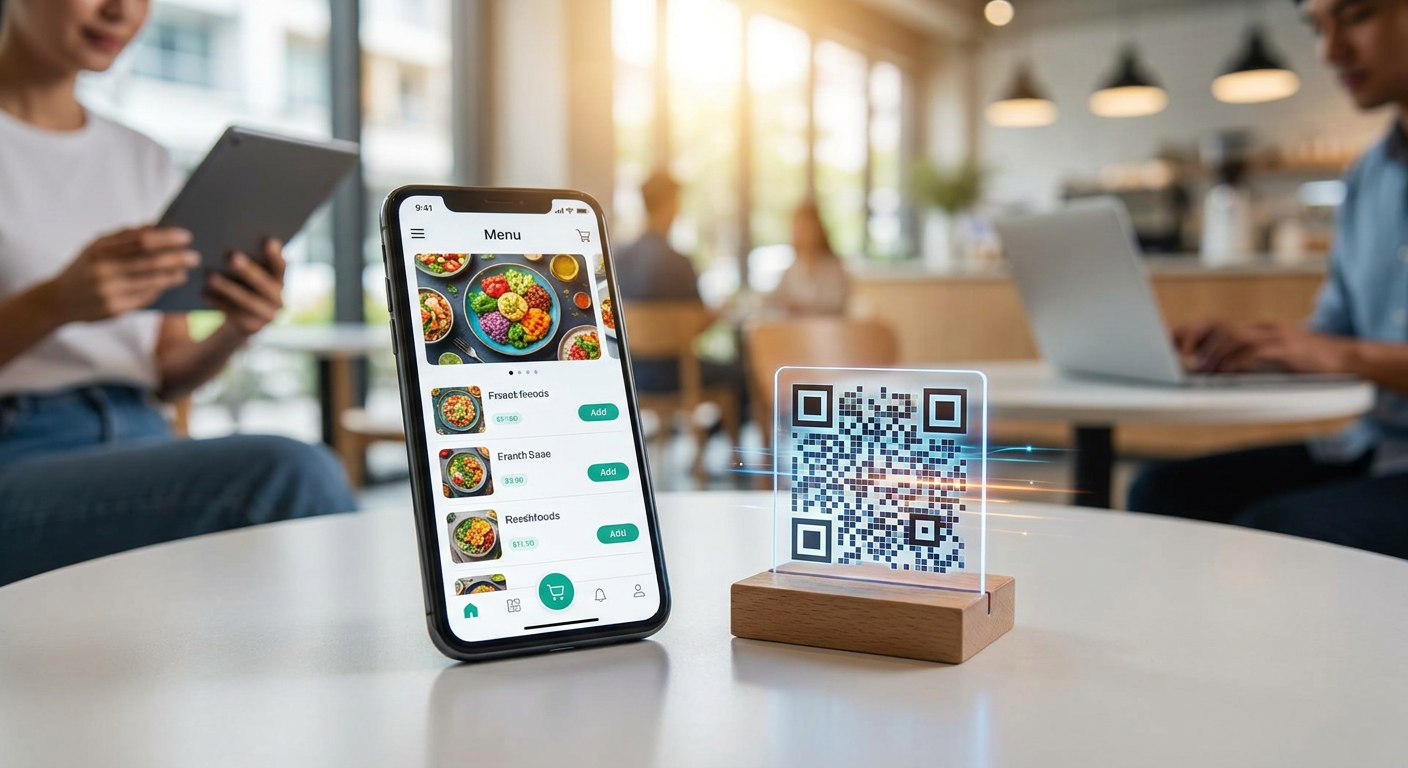
Digital Menu QR Code Ordering System for Cafes: Complete 2026 Setup Guide
Implementing a modern digital menu qr code ordering system for cafes is no longer just a luxury for tech-forward brands; it is an essential operational strategy for managing rising labor costs and changing customer behaviors. By leveraging dynamic QR code generation, cafe owners can instantly adjust menu offerings, streamline workflow overhead, and process payments without demanding a server's physical presence at every step. This guide provides a complete, technical, and battle-tested roadmap to configure a high-efficiency contactless ordering system for cafe 2026 environments, helping you transition from static paper menus to an optimized digital framework.
To set up a digital menu QR code ordering system for cafes, implement dynamic QR code generation linked to a mobile-optimized hosted digital menu. Configure complex modifier logic for customizable beverage items, connect a payment gateway like Stripe, integrate with your POS system (Square, Toast, or Lightspeed) to route orders directly to the kitchen, and deploy durable table-side QR stands.
Key Takeaways for Cafe Owners
- Dynamic Over Static: Always use dynamic QR codes so you can update URLs, prices, or platforms without reprinting physical table assets.
- Granular Modifiers: Precise configuration of syrup shots, milk alternatives, and temperature preferences prevents kitchen errors and captures high-margin upsells.
- Operational Synchronization: Integrating your online order flow with physical POS systems and Kitchen Display Systems (KDS) avoids dual-entry and manual errors.
- Strategic Placement: QR code durability and visual call-to-actions directly determine your customer adoption rates and tableside conversion speed.
Step 1: PDF Menu vs. Hosted Digital Menu Tradeoffs
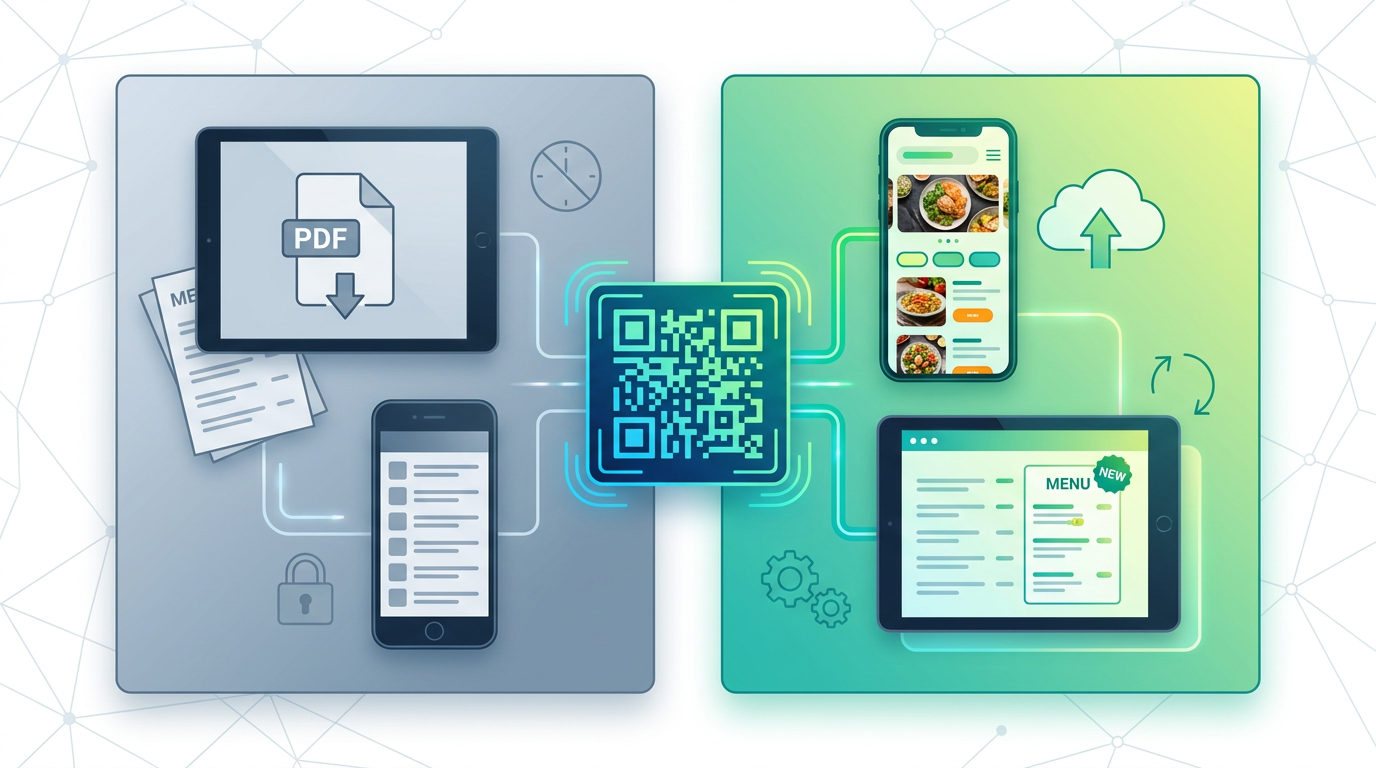
When searching for the best qr menu app for coffee shop setups, many owners make the mistake of choosing a basic PDF menu link. While uploading a PDF to a cloud drive and linking it to a QR code is cheap and fast, it fails almost every operational metric required for sustained cafe growth.
PDF menus are notoriously difficult to navigate on mobile devices. They force customers to pinch, zoom, and scroll horizontally just to read the price of a flat white. More importantly, static PDFs offer zero analytics. You cannot track which items are viewed most frequently, where customers drop off, or how long they stay on the page. In addition, when an ingredient runs out mid-day, you cannot easily cross out or remove the item in real-time, leading to frustrated customers ordering unavailable items.
In contrast, implementing a hosted, interactive digital menu allows for real-time item editing, rich high-resolution photo galleries, category navigation, and embedded payment options. According to industry data, interactive digital menus increase the average order value by 20% to 30% through automated, non-intrusive upselling prompts at checkout. A hosted digital menu also allows you to integrate complex transactional logic, allowing customers to build, modify, and pay for their orders directly from their mobile browsers without downloading any third-party apps.
Step 2: Selecting and Initiating Dynamic QR Code Generation
The core of any contactless ordering system is the QR code itself. You must never use static QR codes for table-side placements. If you change your website URL, switch menu providers, or upgrade your checkout flow, a static QR code becomes permanently broken, forcing you to scrap and reprint all of your physical signage.
Instead, your workflow must rely on dynamic QR code generation. Dynamic QR codes point to a redirect server. When scanned, the server reads the dynamic link and instantly routes the user to the target hosted menu URL. This means you can update the destination website, switch menu builders, or link to seasonal event pages at any time while keeping the exact same physical QR design on your tables.
When initiating dynamic QR codes, follow these critical technical rules:
- Keep URLs Short: Shorter redirect URLs result in lower density QR code patterns. Lower density patterns are much easier for older smartphone cameras to scan in low-light cafe environments.
- Contrast and Coloring: Ensure your QR code possesses a contrast ratio of at least 4.5:1 relative to its background. Dark code patterns on light backgrounds always scan faster than inverted color designs.
- Error Correction Level: Set the error correction level to Medium (M) or High (H). This adds redundant data to the code matrix, ensuring that even if a table QR code gets slightly scratched, stained with coffee, or faded by sunlight, it will still scan perfectly.
Step 3: Configuring Menu Item Modifier Logic (Milk Alternatives & Syrup Shots)
A cafe menu is uniquely complex because of customization. While a restaurant might sell a standard burger, a cafe sells a single double-espresso base that can be customized in thousands of ways. To prevent kitchen confusion and protect your margins, your system must support nested menu item modifier logic (milk alternatives, syrup shots).
Without clean modifier logic, customers will try to type modifications into a "special instructions" text box. This creates an operational bottleneck, as baristas must manually parse freeform text to determine if an upcharge applies (e.g., adding oat milk or extra espresso shots without paying). Your modifier system must be structured as follows:
1. Single-Select Modifier Groups (Mutually Exclusive): These are mandatory selections where the customer must pick exactly one option. Examples include size (8oz, 12oz, 16oz), temperature (iced or hot), and base milk. Your system should support automatic pricing adjustments based on these selections, charging an extra premium for milk alternatives like oat, almond, or soy.
2. Multi-Select Modifier Groups (Add-Ons): These are optional additions where the customer can select zero, one, or multiple items. Examples include syrup shots (vanilla, hazelnut, caramel), extra espresso shots, and toppings (whipped cream, cinnamon dust). Each modifier should have its own inventory tracking and pricing markup.
3. Nested Logic Constraints: Ensure that certain modifiers only appear when specific parent options are selected. For example, if a customer selects "Iced Latte," they should be prompted with "Ice Level (Light, Regular, Extra)", but this choice should be hidden if they select a hot "Cappuccino." This keeps the mobile interface clean and prevents customers from submitting impossible orders (e.g., an extra-hot iced americano).
Step 4: POS System Integration (Square, Toast, Lightspeed)
For a busy coffee shop, running a standalone, disconnected menu system means your staff has to look at a separate tablet, manually type the online orders into your primary cash register, and print a duplicate ticket for the barista station. This manual process causes order delays, introduces human typing errors, and increases labor costs.
A highly integrated POS system integration (Square, Toast, Lightspeed) solves this problem. Modern cloud-based Point of Sale systems expose APIs that allow your dynamic digital menu to push orders directly into your local queue. The setup varies depending on your platform:
| POS Platform | Integration Model | Key Cafe Benefit | KDS Compatibility |
|---|---|---|---|
| Square | OAuth 2.0 API Webhooks | Highly cost-effective for small to mid-sized boutique cafes. | Excellent native and third-party display support. |
| Toast | Partner API Integration | Deep enterprise kitchen control and robust hardware. | Industry-leading native KDS routing and color-coded timers. |
| Lightspeed | L-Series/K-Series Cloud Sync | Flexible multi-location inventory and ingredient tracking. | Strong table layout and kitchen printing options. |
When implementing these integrations, you must also set up robust order throttling. During intense morning rushes, your physical baristas can easily become overwhelmed by a sudden influx of tableside, mobile, and walk-in orders. Your digital menu system should monitor active tickets. If the queue length exceeds a set threshold (e.g., more than 15 active drinks), the system should automatically throttle orders by displaying a warning to customers ("Expected wait time is currently 18 minutes") or temporarily pausing mobile ordering until the barista catches up.
Step 5: Stripe Payment Gateway Setup & Payment Workflows
A contactless ordering system for cafe 2026 operations requires a secure, friction-free payment infrastructure. Integrating a professional payment gateway like Stripe is the gold standard for web-based checkouts because of its support for modern, fast-payment protocols.
Stripe Payment Gateway Setup Workflow
- Account Configuration: Create or log into your Stripe merchant dashboard, select your local currency, and link your business bank account for daily payouts.
- API Key Integration: Connect your digital menu platform to Stripe by pasting your live API Publishable and Secret Keys into your menu management settings.
- Enable Express Checkouts: Within your Stripe settings, activate Apple Pay and Google Pay. For mobile-based cafe checkouts, over 70% of transactions are completed via these digital wallets, as they eliminate the need for the customer to manually type out their 16-digit credit card number at the table.
- Webhooks Configuration: Set up a secure callback webhook so that when a payment succeeds, Stripe sends an instant JSON payload back to your digital menu database. This changes the order status to "paid" and instantly prints the ticket at the barista station.
Understanding Payment Workflows: Scan-to-Pay vs. Scan-to-Order
You must choose between two distinct operational workflows based on your service model:
Scan-to-Order (Pre-Pay model): The customer scans the table QR, browses the menu, places their customized items in the cart, and pays via Stripe immediately on their phone. Once payment is authorized, the order ticket prints in the kitchen. This model is highly recommended for casual, fast-paced cafes because it eliminates the risk of "dine and dash" and saves massive amounts of staff labor.
Scan-to-Pay (Post-Pay model): The customer orders face-to-face with a server or grabs items over time. At the end of their visit, they scan a table QR code which displays their live, aggregated bill synced from the POS. They can then split the check and pay via Stripe on their mobile screen. This model is better suited for sit-down, full-service cafes or dessert bars.
Step 6: Table-Side QR Code Placement Strategy & Durability
The success of your digital menu depends heavily on your physical execution. If customers cannot find your QR codes, or if they struggle to scan them, they will default to waiting in line, defeating the purpose of your digital setup.
Your physical asset design must prioritize visibility and durability:
- Avoid Cheap Paper Stickers: Moisture, hot coffee spills, and cleaning chemicals will quickly ruin cheap paper labels. Instead, print your codes on heavy-duty, UV-resistant vinyl decals, or use laser-engraved acrylic stands. Wood-etched QR codes are also highly durable and match rustic cafe aesthetics.
- High-Contrast Framing: Do not just print a bare QR code. Surround it with a clear, engaging call-to-action (CTA). A border reading "Scan to Order & Pay from Your Table" with clear step-by-step icons (1. Scan, 2. Order, 3. We Deliver) significantly increases customer adoption.
- Strategic Table Mapping: Ensure each table has a unique, distinct dynamic QR code assigned to it. For example, Table 4's QR should link to a URL structured like
https://yourmenu.com/menu?table=4. This ensures that when an order is placed, the POS system knows exactly which table to deliver the items to, preventing staff confusion. - Lighting and Angle Optimization: Place QR codes flat on tables or tilted at a 45-degree angle inside acrylic stands. Avoid high-gloss laminations that reflect harsh overhead cafe lighting, as reflections can distort the camera's view of the QR pattern.
How Does Cafe QR Code Ordering System Cost Break Down?
When calculating your digital menu budget, you will encounter two primary pricing structures in the SaaS marketplace: flat-rate monthly subscription fees and per-transaction commission models. Choosing the wrong model can severely impact your thin cafe profit margins.
| Pricing Metric | Flat-Fee SaaS Model | Per-Transaction Fee Model |
|---|---|---|
| Monthly Base Cost | $29 - $150 / month fixed | $0 / month base |
| Transaction Fee | 0% (Standard Stripe processing only) | 1.5% to 5.0% per order + processing |
| Predictability | Highly predictable, constant overhead | Variable, increases as your sales grow |
| Best Suited For | Established cafes with high transaction volume | Brand new cafes or temporary pop-up shops |
For example, if your coffee shop processes $30,000 in monthly tableside volume, a 3% per-transaction SaaS fee will cost you an extra $900 every month. On the other hand, paying a flat subscription fee of $49 per month allows you to keep all of those extra profits, paying only the standard credit card processing fees (such as Stripe's typical 2.9% + $0.30 per transaction). Always opt for flat-rate pricing structures once your digital ordering channel is stabilized.
Is a Contactless Ordering System for Cafe 2026 Compliant with Accessibility Standards?
When launching a digital menu, you must ensure that your system is fully usable by all customers, including those with visual, motor, or cognitive impairments. Under international laws and WCAG (Web Content Accessibility Guidelines) standards, failing to provide an accessible digital menu can expose your business to legal liability.
To ensure your web menu is fully compliant, use these technical standards:
- Screen Reader Optimization: All interactive elements, product names, and modifier checkboxes must feature proper semantic HTML and ARIA labels. A blind customer scanning your QR code must be able to use their smartphone's built-in screen reader (like Apple VoiceOver or Android TalkBack) to hear the menu options read aloud and complete their checkout independently. Check accessibility colors using an online Contrast Checker tool.
- Keyboard Navigation: The menu must be fully navigable using simple keyboard-like tab movements for users who cannot operate a standard touch screen.
- Avoid Text as Images: Never publish your menu as simple raw JPG or PNG images. Screen readers cannot parse text embedded inside images, rendering the menu completely useless to visually impaired visitors. Always build your menus using clean, search-engine-crawlable HTML text blocks.
How Can AI Chatbots and Smart Assistants Elevate Cafe Menu Ordering?
As we enter 2026, cafe owners are going beyond simple menus by introducing conversational AI assistants directly into their digital menu systems. When a customer scans a table QR code, they do not just see a list of items; they can interact with a virtual, AI-powered waiter or chef trained specifically on that cafe's unique recipes and policies.
This integration solves a massive operational challenge: handling constant customer questions about ingredients, allergens, and dietary preferences. For example, instead of flagging down a busy barista to ask if the matcha powder contains added sugar or if a certain pastry is gluten-free, the customer can simply type or speak their question into the AI assistant embedded on the menu screen. The system responds instantly with accurate, pre-configured data, speeding up the checkout process and protecting customers with severe allergies.
Additionally, an AI assistant acts as an active sales engine. If a customer is browsing your specialty pour-over coffees, the assistant can intelligently suggest complementary food pairings ("Our home-baked lemon poppyseed loaf pairs beautifully with the floral notes of this Ethiopian single-origin brew"). This real-time, context-aware upselling increases average ticket values without putting extra pressure on your floor staff.
Building Your Cafe QR Ecosystem with Qret.me
If you want to set up an advanced, AI-enabled digital menu qr code ordering system for cafes without paying thousands of dollars for complex code development, Qret.me offers the ultimate platform. It functions as a complete "Digital Twin" for your coffee shop, combining beautiful bio link pages, smart booking systems, customizable catalogs, and interactive AI agents into a single, cohesive ecosystem.
By upgrading to Qret.me's Business or Pro plans, cafe owners gain access to powerful, tailor-made tools:
- Interactive Restaurant Menus & Catalogs: Use the dedicated Restaurant Menu and Product Catalog blocks to build clean, high-resolution mobile menus complete with categories, price fields, and direct ordering links.
- Customizable Dynamic QR Codes: Generate professional, high-resolution dynamic QR codes embedded with your cafe's custom logo, corporate colors, and tailored shapes. You can update your menu links or redirect paths instantly inside your Qret dashboard without reprinting your physical table stands.
- AI Chef & Waiter Nano Agents: Deploy a custom-trained AI assistant on your bio-link page. This smart chatbot learns from your uploaded menu blocks, allergy policies, and preparation notes to answer complex customer questions 24/7.
- Unified Smart Booking: Organize weekend barista workshops, coffee tasting events, or room rentals with Qret's integrated booking block, keeping all of your revenue streams inside one simple dashboard.
Instead of managing separate subscriptions for link pages, hosting, QR builders, and chatbot software, Qret.me lets you replace them all. Create a stunning, high-converting digital twin for your coffee shop on Qret.me today for free (no credit card required) and take your customer dining experience into the future.
Frequently Asked Questions
1. What is the difference between static and dynamic QR codes for cafes?
Static QR codes encode the destination URL directly into the pixel pattern. If that URL changes or you switch systems, the code breaks and you must reprint all your signs. Dynamic QR codes route through a redirect link. This allows you to update the destination URL instantly in your dashboard without ever having to re-print your physical table cards.
2. How long does it take to train cafe staff on a QR ordering system?
With an intuitive, integrated system, basic staff training takes less than 2 to 3 hours. Because the digital menu handles the entry of modifiers and payments, your baristas only need to learn how to monitor incoming tickets on the Kitchen Display System (KDS) and organize outgoing drinks by table number.
3. Do customers have to download an app to scan and order?
No. The best digital menu systems are built using responsive web design. Customers simply scan the table QR code using their phone's native camera app, which instantly opens the digital menu in their mobile web browser. This friction-free process ensures high adoption rates.
4. How do I prevent online order bottlenecks during the morning rush?
You should implement an order throttling system. When your baristas are busy, your digital system can display automatic alerts to customers warning them of extended wait times, or temporarily block new mobile orders for 10-minute intervals until your team catches up with the physical queue.
5. Can I charge different prices for milk alternatives like oat and almond milk?
Yes. By configuring structured modifier logic, you can set custom pricing rules. When a customer swaps out whole milk for oat or almond milk, the system automatically adds the configured upcharge (such as +$0.80) to the ticket before checkout, protecting your margins.
6. What payment methods are supported via Stripe integration?
Stripe supports standard credit and debit cards, along with highly efficient express checkout methods like Apple Pay and Google Pay. These mobile wallets let customers pay with face-ID verification in under five seconds, eliminating manual card entry errors.
7. Are digital QR menus accessible for blind or visually impaired customers?
Yes, provided you build your digital menu using structured HTML instead of static images. Modern screen readers can easily read HTML menus with clean ARIA tags. You can also use a contrast checker to make sure your text is easily readable for visually impaired customers.