

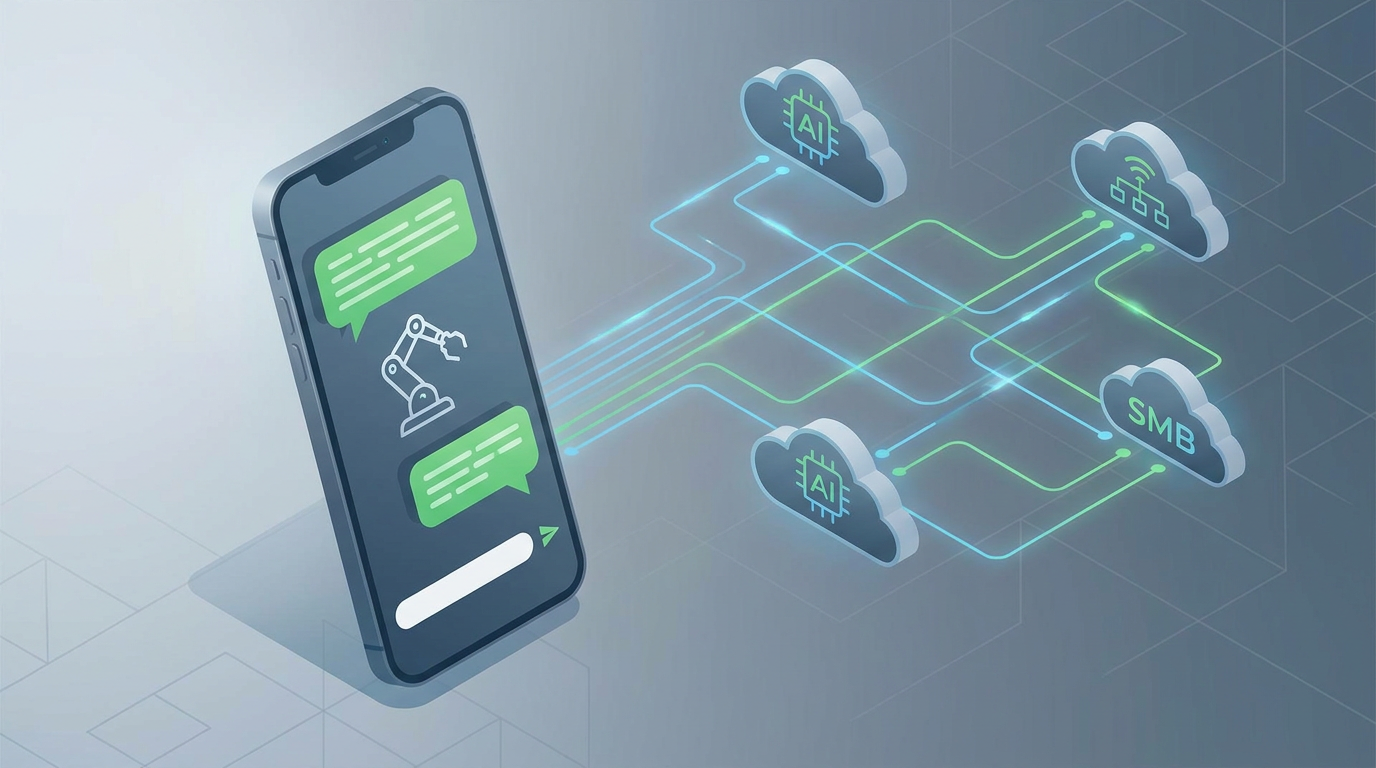
How to Build an AI Virtual Assistant for Taking Orders by Text and WhatsApp with the WhatsApp Business API: The Ultimate 2026 SMB Guide
If you're running a small or medium-sized business in 2026, you already know that friction is the ultimate sales killer. If a customer has to download a custom app, sign up for yet another account, or squint at an outdated mobile site just to buy a sandwich, book a haircut, or purchase a boutique item, you're losing money to faster competitors. That's where the WhatsApp Business API and conversational texting come in. They're quietly reshaping modern retail and hospitality by letting customers buy things directly inside the messaging apps they already open fifty times a day.
An AI virtual assistant for taking orders by text and WhatsApp uses natural language processing to guide customers through product options, confirm details, and drop secure payment links directly in the chat—turning simple text messages into fully automated, hands-free sales without requiring any staff interaction.
- Frictionless Commerce: Text-based ordering can boost conversions by up to 3x compared to clunky online checkout pages because it completely skips the sign-up hassle.
- API Over Apps: Hooking up the WhatsApp Business API with a reliable SMS gateway like Twilio gives you a compliant, global system that works across multiple channels.
- End-to-End Automation: A smart chat assistant handles the whole cycle—showing the menu, understanding natural requests, sending secure Stripe checkout links, and updating your CRM instantly.
- Hybrid Handover: You need lightning-fast replies (under 3 seconds) paired with an intelligent fallback setup so a real human can step in if a conversation gets too tricky. This guarantees you never drop a sale.
Why Conversational Commerce is Essential for SMBs in 2026
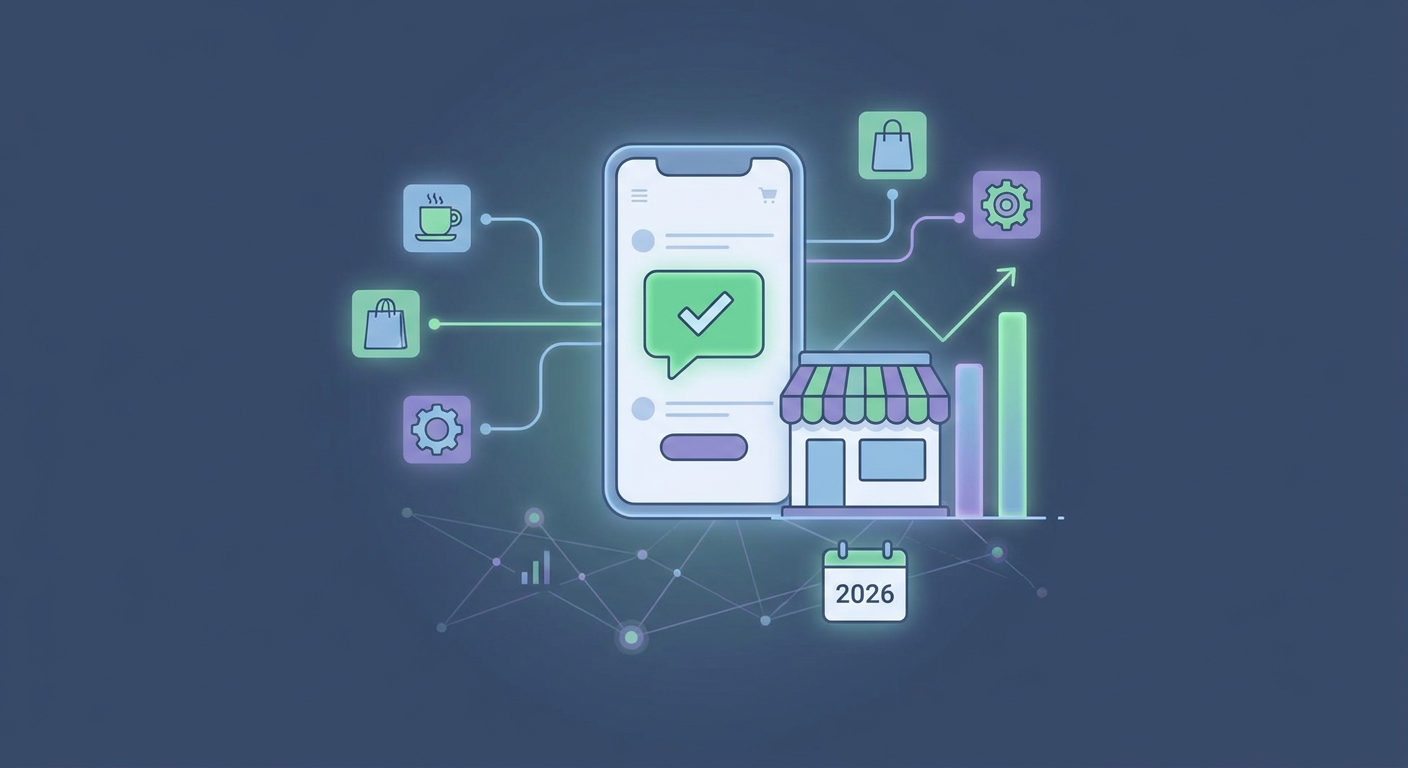
Let's face it: customer habits have changed forever. Recent data from Juniper Research shows that global spending through conversational channels is set to skyrocket by over 120% by the end of 2026. The reason is simple—convenience. We live inside our messaging apps. Between WhatsApp, standard SMS, and other chat platforms, your customers are already there. Meeting them on their home turf removes the friction of opening a browser and hunting down a website.
If you're running a restaurant, a local salon, or a boutique, taking orders manually over the phone or sorting through Instagram DMs is a massive headache. It's slow, prone to typos, and highly dependent on someone being awake and on the clock. An AI-powered virtual assistant, however, never sleeps. It can handle hundreds of chats at once, chat in multiple languages, and push every transaction directly to your point-of-sale (POS) or inventory system without breaking a sweat.
Using a platform like Qret.me lets you build what we call a "digital twin." While old-school link-in-bio tools just point people to external, static web pages, modern systems convert your bio links and QR codes into responsive, interactive helpers. They answer product questions, handle immediate bookings through an online booking system, and process text-based orders through natural, back-and-forth chat.
How to Set Up the WhatsApp Business API and Twilio SMS Gateway
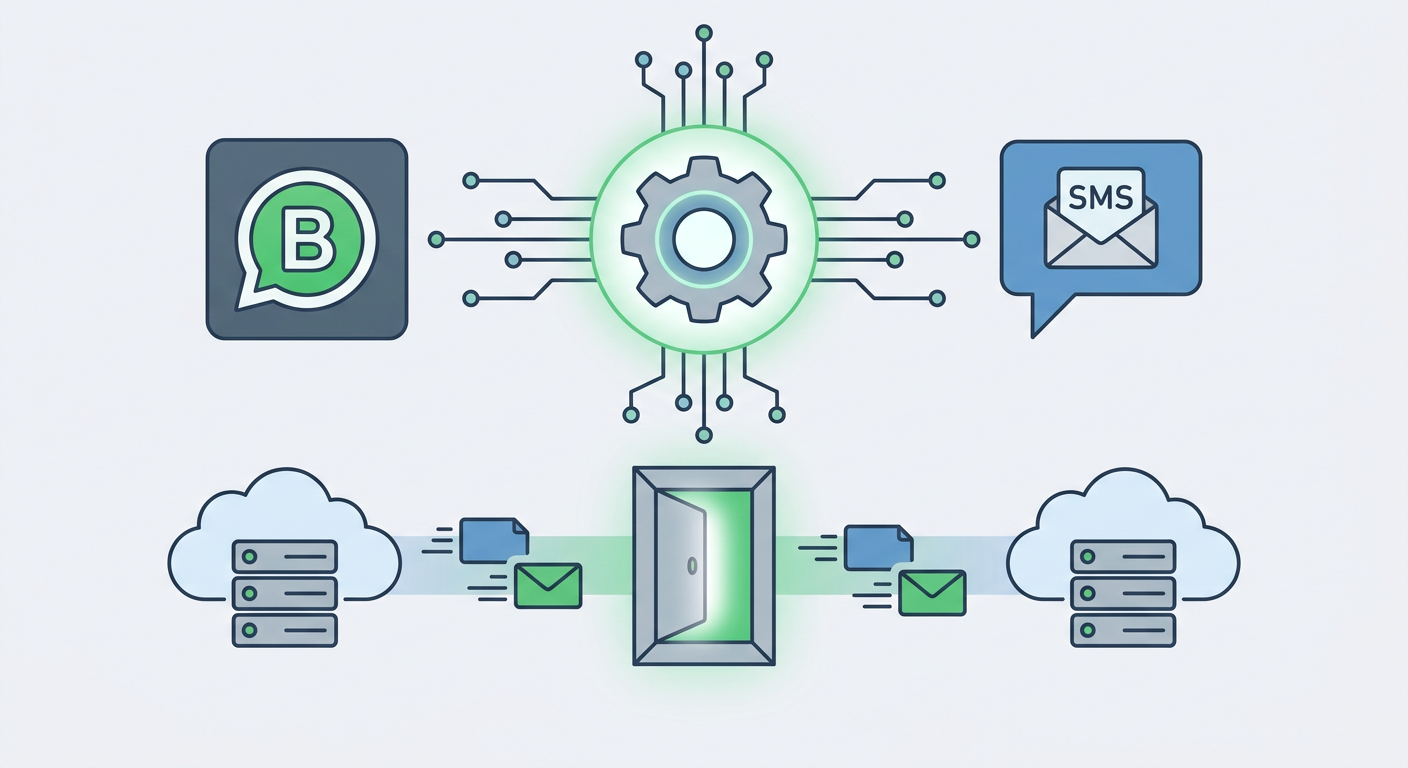
Setting up a professional-grade text ordering system means opening up two main communication lanes: the Meta-controlled WhatsApp Business API and a reliable SMS processor, like the Twilio SMS gateway. Don't make the mistake of treating these two channels as identical. They operate under vastly different rules, pricing setups, and technical requirements, all of which will affect your monthly bills.
The WABA Verification Process and Message Templates
First off, you can't run an automated business line off a standard phone app. You'll need to set up a WhatsApp Business Account (WABA) through Meta's Developer Portal to gain access to the official WhatsApp Business API. To get through Meta's verification process, you will need:
- A Meta Business Manager account tied to an actual, registered legal business.
- A clean, dedicated phone number that isn't already linked to a personal WhatsApp account.
- Official documentation—think tax filings, utility bills, or business registration certificates—to prove your business is legitimate.
Once Meta gives you the green light, your system can start sending outbound chats using Meta-approved WhatsApp message templates. Meta is notoriously strict about spam. If you're messaging a customer outside of an active 24-hour window, you have to use a pre-approved template structured with placeholders, looking something like this:
"Hello {{1}}, your order {{2}} has been confirmed! We will notify you once it's on the way."
Deploying an SMS Webhook Integration with Twilio
For the crowd that still prefers old-fashioned texting, standard SMS is your safety net. Setting up automated order taking via SMS means using a gateway like Twilio backed by a clean SMS webhook integration. Think of a webhook as a digital telephone line: when a customer texts your business number, the carrier sends it to Twilio, which immediately forwards that message data (the payload) straight to your AI system via an HTTP POST request.
Your backend—or a no-code manager like Make or Zapier—digests this info, asks the AI for the right reply, and sends the response back to Twilio's REST API to text the customer. This whole loop needs to happen in milliseconds, or the conversation will feel disjointed and slow.
A quick warning on compliance: if you're operating in North America or Europe, ignoring rules like the TCPA (Telephone Consumer Protection Act) or GDPR is a recipe for massive fines. You absolutely must get clear, documented opt-in consent from customers before sending automated texts, and you must support standard opt-out keywords (like "STOP") that your gateway handles automatically.
| Operational Feature | WhatsApp Business API (WABA) | Twilio SMS Gateway |
|---|---|---|
| Rich Media Support | Excellent (Send PDF menus, food photos, quick-reply buttons, interactive lists) | Very limited (MMS gets pricey; standard plain text is the norm) |
| Regulatory Compliance | Requires Meta verification, opt-in rules, and pre-approved templates | Strict TCPA/GDPR compliance and mandatory 10DLC registration |
| Pricing Model | Charged per conversation (flat rate for 24-hour windows) | Charged per individual message segment (varies by region) |
| User Interface | Polished chat bubbles, brand profiles, and official verified badges | Standard, plain text bubbles native to the user's phone |
Designing the Conversational Order Flow
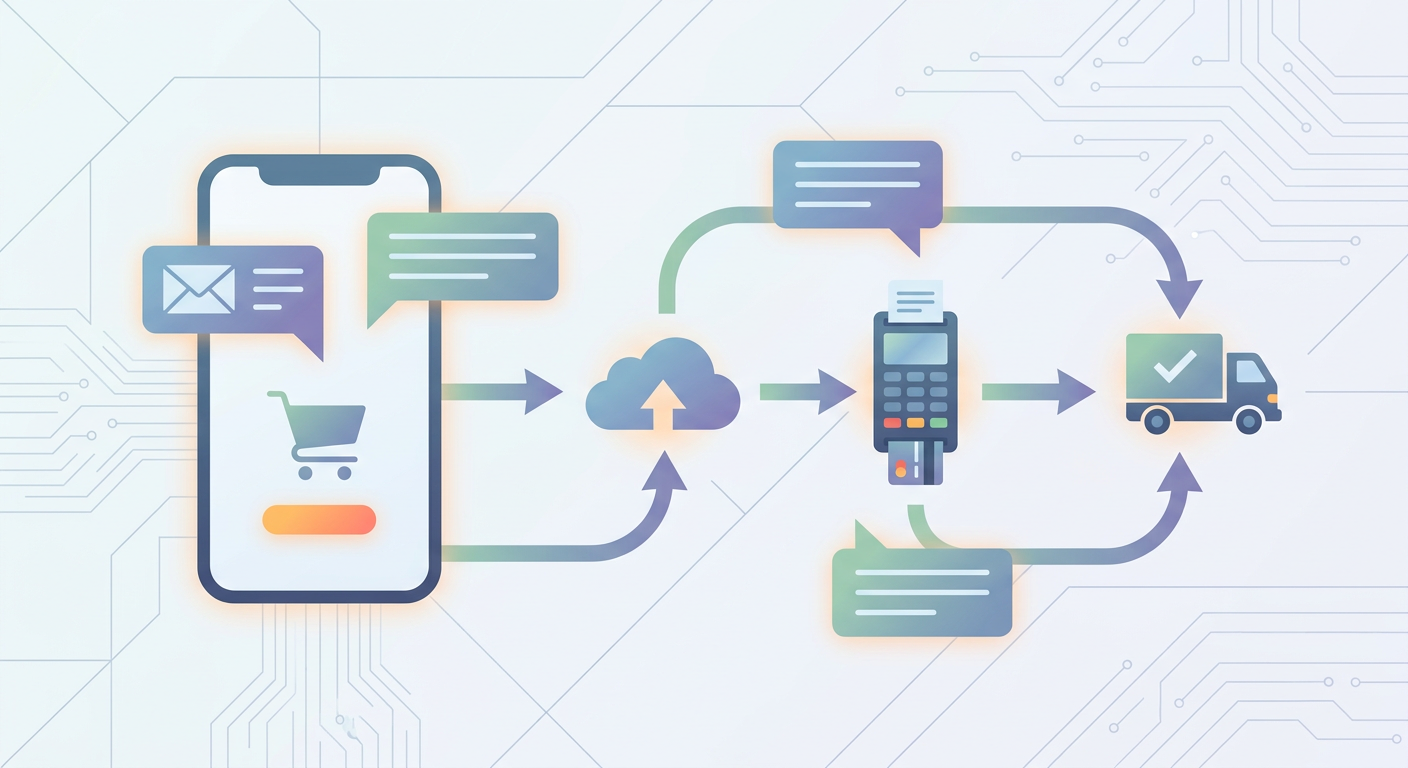
A great whatsapp order bot for small business shouldn't feel like a clunky, frustrating phone menu from the nineties. It should flow like a real conversation, naturally guiding your customer through four critical steps: showing the goods, figuring out what they want, confirming the details, and taking payment.
1. The Menu / Discovery Phase
The moment a customer texts "Hi" or scans a QR code, the AI jumps in, introduces itself, and lays out the options. If you're a restaurant or retailer using digital menu boards or dynamic catalogs, this is your first impression. Instead of dumping a giant, overwhelming block of text, your AI can offer a clean link to a mobile-friendly menu or use WhatsApp's built-in list features to show clean categories like "Appetizers," "Entrées," or "Drinks."
2. Selection Parsing (Natural Language Processing)
This is where standard bots crash and burn, and where smart AI assistants show their value. Imagine a customer texts: "Hey, I'd like to get two pepperoni pizzas, one with extra cheese, and a diet coke, please." A basic bot gets utterly confused. An AI with natural language order parsing (NLP) reads that sentence, extracts the exact items and modifiers, matches them to your stock list, and asks friendly follow-up questions if something isn't clear.
Here's a quick look behind the scenes at how the AI translates that casual text into structured data your backend can actually understand:
{
  "intent": "place_order",
  "items": [
    {
      "product_id": "pizza_pepperoni",
      "quantity": 2,
      "modifiers": ["extra_cheese"]
    },
    {
      "product_id": "soda_diet_coke",
      "quantity": 1,
      "modifiers": []
    }
  ],
  "confidence_score": 0.98
}
3. The Order Confirmation Checkpoint
Once the system has mapped out the order, the assistant displays a clear, easy-to-read summary directly in the chat. It lists every item, calculates taxes, adds delivery fees, and shows the grand total. Adding quick-reply buttons like "Confirm Order" or "Change Items" gives the customer a simple, reassuring way to double-check everything before they pay.
4. Stripe Payment Link Injection
Security is non-negotiable. You should never, ever ask a customer to text their credit card details in plain text. Instead, your AI talks to your payment gateway (like Stripe) in the background to generate a unique, secure checkout link for that exact order. The bot then handles the Stripe payment link injection in the WhatsApp thread. The customer clicks, pays securely using Apple Pay, Google Pay, or a credit card, and a secure notification tells your AI to send the order straight to your kitchen or fulfillment team.
How to Handle Fallbacks, Latency, and CRM Synchronization
Building a bulletproof ai chatbot to take orders automatically means preparing for the unexpected—like system lag, confusing customer questions, or database sync errors. If you don't build safeguards for these edge cases, a tiny technical hiccup can easily turn into a lost customer and a bad review.
Implementing Fallback-to-Human Escalation Logic
Let's be realistic: even the smartest AI won't understand everything. A customer might ask about rare allergies ("Is there any cross-contamination with walnuts in the pesto?") or ask for a highly customized swap. When that happens, your bot shouldn't just stall or repeat itself.
Instead, it needs to trigger a smart fallback-to-human escalation logic. The system instantly pauses the AI for that specific chat and alerts your staff via desktop notification or SMS. A human team member can jump right into the thread, handle the complex request, and then flip the switch to let the AI take over again once the customer is happy.
Maintaining Response Latency Benchmarks
When it comes to buying things on a phone, speed is everything. If someone texts you and has to wait thirty seconds for a reply, they're gone. You need to aim for a strict response latency benchmark of sub-3-second replies.
To keep things moving fast, make sure your integration stack isn't bogged down by too many back-and-forth API requests. Process database reads and AI prompts in the background where possible. If your AI model needs an extra second or two to think, use visual cues—like sending a quick "Let me check that for you..." message or showing the WhatsApp "typing" status—to keep the customer engaged.
Automating CRM Sync and Abandoned Cart Recovery
An order taken in chat is useless if your team doesn't know it exists. Your virtual assistant must automatically log every successful sale directly into your CRM, POS, or tracking system (like Shopify, Google Sheets, or Airtable). This keeps your inventory accurate and saves you from typing things out manually.
And what about the customers who build a perfect order but get distracted right before paying? Don't let those sales slip away. After 15 or 30 minutes of silence, your system can automatically send a polite abandoned order re-engagement message:
"Hey there! We noticed you didn't quite finish checking out for your pepperoni pizzas. No worries—just tap the secure link below to finish up and we'll get them in the oven!"
The Real Math: Cost-Benefit Analysis of AI Order Automation
If you're wondering whether setting up an ai assistant for restaurant orders text message or scheduling is actually worth the investment, let's break down the numbers for a typical local business processing around 50 orders or bookings a day.
Think about how much time a human employee spends answering calls, explaining menu options, typing names, and reading credit card numbers. It averages out to about 5 minutes per order. Multiply that by 50 orders, and you're looking at over 4 hours of tedious, error-prone manual work every single day.
| Expense / Operational Metric | Traditional Human Phone Orders | AI Assistant (via WhatsApp/SMS API) |
|---|---|---|
| Hourly Cost / Platform Fee | $15.00 to $20.00 / hour (Wages & payroll taxes) | $0.02 to $0.15 per chat session |
| Labor Hours per Month | ~120 Hours (to handle 1,500 monthly orders) | 0 Hours (The system runs entirely on autopilot) |
| Average Order Processing Error Rate | 5% to 8% (Thanks to bad connections, accents, or typos) | < 1% (The AI reads directly from what the user typed) |
| Total Monthly Operational Cost | $1,800.00 to $2,400.00 | $120.00 to $250.00 (Includes all API and platform fees) |
By automating this back-and-forth, you get to reclaim those valuable hours and put them where they actually matter—improving your product, speeding up deliveries, or leveling up your packaging. Cutting down on order errors while saving thousands in labor makes conversational AI a complete no-brainer for local businesses.
Step-by-Step Guide: Launch Your AI Ordering Assistant with Qret.me
Trying to build this kind of automation from scratch—writing custom APIs, managing secure servers, and fine-tuning expensive AI models—can easily cost thousands in developer fees. Fortunately, specialized platforms have changed the game. With Qret.me, you can build a smart "Digital Twin" that chats with customers, displays your catalogs, and books appointments automatically in just a couple of hours.
Unlike those generic, static link-in-bio tools, Qret.me is an all-in-one ecosystem that brings together custom Bio Link Pages, interactive catalogs, a booking calendar, and an intelligent, highly trainable AI. Here is how you can set it up step-by-step:
Step 1: Build Your Digital Catalog and Menu
First, log into your Qret.me dashboard to build your digital storefront. Under the catalog block, upload your products, add clear photos, write descriptions, and set up your pricing variants. This catalog serves as the single source of truth for both your online visitors and your AI assistant, giving customers a beautiful landing page to browse through.
Step 2: Train Your AI Assistant (The Digital Twin)
Head over to the AI Assistant configuration panel. Qret.me lets you choose custom personalities tailored to your brand, whether you want an AI Waiter, an expert AI Chef, or a friendly virtual Sales Agent. The platform's AI automatically scans your active blocks, services, pricing rules, and business hours. It learns your unique business guidelines and responds to customer inquiries in real-time, sticking strictly to your rules.
Step 3: Connect Messaging and QR Channels
To get people into your automated chat system, place dynamic QR tags on physical tables, menus, product packaging, or business cards. Using the Dynamic QR Codes generated inside your Qret dashboard, you can guide foot traffic straight to your interactive bio page. From there, users can launch your AI chat helper or schedule a booking with a single tap.
Moda Noor, a boutique fashion brand, was losing sales because they couldn't answer product availability and styling questions after closing time. By using a Qret catalog linked to an automated WhatsApp ordering system, they allowed customers to scan QR codes on items, browse colors, and tap to order instantly. Within their first month, their online sales jumped by 40%—capturing easy revenue while their physical shop doors were locked.
On top of that, you can use Qret's Instagram Auto-Reply integration. The moment a customer leaves a comment on your Instagram post, the AI automatically replies and drops a DM with direct catalog links, creating a hands-free pipeline from social media straight to checkout.
Frequently Asked Questions
Is the WhatsApp Business API free to use for small businesses?
No, Meta doesn't offer the developer API for free. While the basic consumer and business apps on your phone are free, the actual WhatsApp Business API runs on a conversation-based pricing model where Meta charges per 24-hour window. The good news? Meta gives you 1,000 free, user-initiated conversations every month, which is perfect for testing things out before you start paying.
What is the difference between SMS and WhatsApp for taking orders?
SMS is incredibly universal—every phone has it, and you don't need a data plan to receive a text. However, SMS is mostly restricted to plain text, and it's subject to strict regional regulations like 10DLC registration in the US. WhatsApp, on the other hand, lets you send high-res product photos, interactive menus, quick-reply buttons, and carries a higher trust factor with verified profiles. The only catch is that the customer needs an active internet connection, and you need Meta approval.
Do I need advanced coding skills to build an AI order-taking assistant?
Not at all. While coding a custom system from scratch is a heavy development project involving server links and database calls, all-in-one platforms like Qret.me do the heavy lifting for you. You can build digital menus, set up calendars, and train your own custom AI assistant using a simple, visual dashboard—no coding required.
How do customers pay when ordering through text or WhatsApp?
It's handled securely by sending individual payment links directly into the chat thread. The AI links up with your payment processor (like Stripe) to generate a one-off checkout link for that specific order. The customer clicks the link, pays securely on a secure checkout page via Apple Pay, Google Pay, or card, and your system instantly gets a notification that the order is paid and ready to go.
What happens if the AI assistant cannot understand a customer's request?
A well-built system always relies on human-fallback logic. If the AI doesn't understand a complicated question or if its confidence score drops, it quietly pauses the automated replies and alerts your staff. A real person can then jump into the chat, resolve the issue, and hand control back to the AI once the order is sorted.
Are automated SMS order-taking systems compliant with TCPA regulations?
Yes, but you have to set them up correctly. To stay compliant with TCPA and GDPR laws, you must get explicit, clear permission (opt-in) from customers before you send automated texts. You also need to make sure the system instantly honors standard opt-out keywords like "STOP" or "UNSUBSCRIBE." Transactional texts in response to a customer's message are usually fine, but any subsequent marketing messages require formal opt-in.
Can an AI order-taking system handle appointment bookings?
Absolutely, and they're incredibly good at it. When you hook up an AI assistant to an online booking calendar, the bot can check your real-time availability, present open slots, and lock in the booking without human help. For instance, Bella Studio in Istanbul set up an integrated QR and AI booking system, cutting phone-tag by 90% while actually boosting their total reservations.
A Smarter Way to Process Orders
Automating your order and booking flow isn't some futuristic tech reserved for giant corporate chains anymore. In 2026, using an AI assistant paired with the WhatsApp Business API or Twilio SMS is one of the easiest ways for small businesses to cut overhead, stop order mistakes, and make customers happier.
Instead of paying for four or five different software tools for your bio links, booking calendars, QR codes, and chat bots, you can manage everything under one roof. With Qret.me, you get a reliable digital twin that works around the clock to turn conversations into sales. Ready to streamline your day-to-day operations? Pick your plan and try Qret.me for free today.