


Dynamic QR Code with Analytics: A Proven Google Tracking Setup
Data is the lifeblood of modern brands, but there’s often a massive gap between a physical ad and the data it generates. If you’re running a storefront in Istanbul or managing a pan-European marketing campaign, you’ve probably felt that frustration. That’s where a dynamic QR code with analytics changes the game. It’s not just a fancy trick for big tech—it’s how a growth-focused business turns a simple scan into a goldmine. By setting up a dynamic qr code google analytics strategy, you finally get to see what’s actually happening after someone pulls out their phone.
This guide breaks down exactly how to track dynamic QR codes and use those insights to scale your brand. We’ll look at everything from sharpening your Link in bio for Instagram to making a contactless ordering system actually work for your bottom line. We even cover how to use a VCard QR code generator for networking that actually results in follow-ups. By the time you're done reading, you’ll have a clear plan for bridging the gap between the physical and digital worlds.
The Technical Shift: Static vs. Dynamic QR Codes
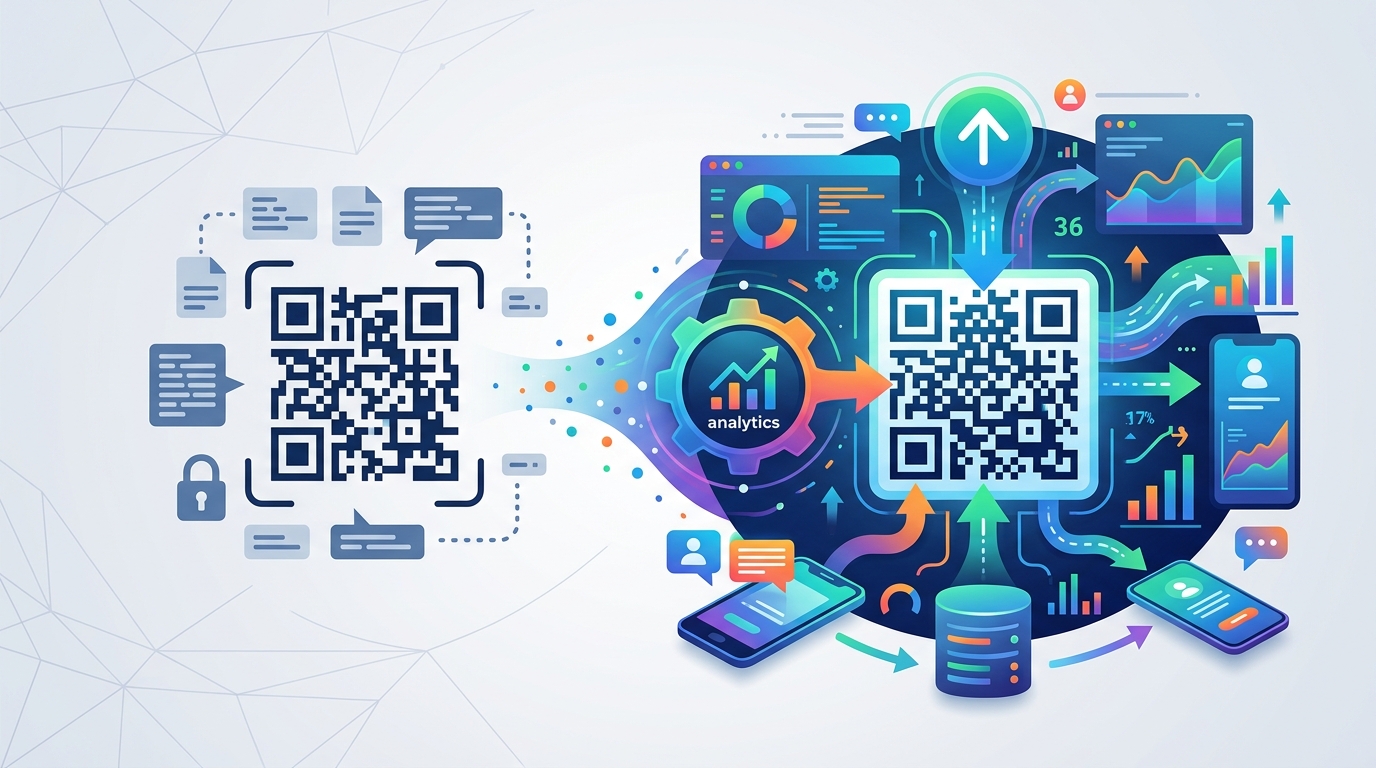
To master tracking, you've got to understand the "why" behind the tech. Think of it this way: a static QR code is literally baked into the pixels. Once it's printed, it’s permanent. If the URL breaks? You’re stuck with a dead link. A dynamic QR code, however, acts as a smart bridge. It points to a unique short URL that then zips the user to the final destination. That tiny redirection layer is where the magic happens.
When you grab Dynamic QR Codes from Qret.me, you get the freedom to swap out your links whenever you want without reprinting a single flyer. This is a lifesaver for long-term campaigns. Most importantly, this setup lets you bake in UTM parameters. This makes your dynamic QR code with analytics compatible with Google Analytics 4 (GA4), giving you a level of detail that used to be impossible for offline media.
Why Your Strategy Needs a Dynamic QR Code with Analytics

Basic QR tools usually just give you raw scan counts—and let's be honest, that’s only half the story. To really get your audience, you need to go deeper. When you integrate a dynamic qr code google analytics workflow, you unlock insights that actually matter:
- Who is scanning? Get a handle on the age, gender, and interests of your users so you can stop guessing and start targeting.
- Where are they? See which physical locations—whether it’s a boutique in Berlin or a billboard in London—are actually pulling their weight.
- What happens next? Track the user’s journey. Do they buy something, or do they bounce immediately after scanning?
- Proving ROI: Link specific sales directly back to your physical flyers, business cards, or packaging.
- Tech check: Know if they’re on an iPhone or Android so you can make sure your landing page looks perfect for their device.
Step-by-Step: Setting Up Your Dynamic QR Code with Analytics

1. Crafting a Precise UTM Strategy
The foundation of a dynamic QR code with analytics plan is the UTM tag. These are just small snippets of code added to your URL so Google knows how to label the traffic. To keep your data clean, try to stay consistent:
- utm_source: Label the physical spot (like "july_magazine" or "flagship_store").
- utm_medium: Stick with "qr_code" so this traffic doesn't get mixed up with your search ads.
- utm_campaign: Give the specific promo a name (like "summer_sale_2024").
2. Generating the Trackable Short Link
Don't put a long, messy URL into your code—it makes the QR pattern look like a mess and makes it harder to scan. Instead, use the URL Shortener at Qret.me. You’ll get a clean, branded link that redirects to your UTM-tagged destination. It keeps your dynamic QR code with analytics scans high and your data accurate.
3. Building and Customizing the QR Code
Once you’ve got your link, it’s time for the fun part. A dynamic QR code with analytics shouldn't be a boring black-and-white box. Add your brand colors or a logo—it builds trust and can seriously boost scan rates. And because it's dynamic, you can always change the destination later if your goals shift mid-campaign.
4. Monitoring GA4 Reports
Once your codes are out in the wild, head over to your Google Analytics 4 dashboard. Navigate to Reports > Acquisition > Traffic Acquisition, and filter by that "Source/Medium" you created. Suddenly, every physical scan shows up as a digital event. You can literally watch the journey from a scan to a sale.
Revolutionizing the Link in Bio for Instagram
Instagram is a powerhouse across Turkey, Europe, and Asia, but that "one link" limit is a constant headache. That’s why a Link in bio for Instagram from Bio Link Pages is so essential. By putting a single dynamic QR code on your products or store signage that points to your bio page, you create a path that actually works.
When you add dynamic qr code google analytics to your bio link, you can see which offline campaigns are actually driving social follows. For instance, you might find that customers scanning a tag in your shop are much more likely to follow you than people seeing a random ad. That’s the kind of insight that helps you double down on what works.
Optimizing the Contactless Ordering System
The hospitality world has changed for good. Now, a contactless ordering system isn’t just about safety—it’s about data and efficiency. Placing a dynamic QR code with analytics on every table lets restaurant owners track peak times and popular dishes with surgical precision.
By using Digital Menu tools, you can see which tables have the most engagement. If Table 12 scans the menu five times but never orders, maybe the QR code is hard to see, or the menu is loading slowly. These technical insights from your dynamic QR code with analytics help you fix friction points and increase your average check size.
The Strategic Use of a VCard QR Code Generator
Let’s be honest: physical business cards usually end up in a drawer or the trash. A VCard QR code generator fixes this by letting people save your info directly to their phone. But for a freelancer or sales rep, just "sharing info" isn't enough—you need to know if they actually looked at your work.
By using a dynamic QR code with analytics for your VCard, you can track how many people actually clicked your "Portfolio" or "LinkedIn" links after saving your number. This is gold for measuring your success at networking events. If you scan 50 people at a London conference but get zero site visits, it's a sign you might need to tweak your digital profile or your pitch.
Market Specifics: Turkey, Europe, and Asia
When you deploy a dynamic QR code with analytics, remember that different markets have different habits:
The Turkish Market
Mobile use in Turkey is huge, and people are already very comfortable using QR codes for payments. Use your GA4 data to segment traffic by browser language—this lets you automatically serve up localized content when someone scans your dynamic QR code with analytics.
The European Market
In Europe, privacy is everything. When you’re running a dynamic qr code google analytics strategy, make sure your landing pages are GDPR compliant. Qret.me handles the heavy lifting on the infrastructure side, but always be transparent about your tracking cookies. You can be data-driven and respectful of privacy at the same time.
The Asian Market
In many Asian markets, QR codes are basically how the internet functions. The volume of scans can be massive. Use advanced filtering in your dynamic QR code with analytics setup to separate real customer scans from automated bot traffic so your reports stay clean.
Maximizing Scans: Design and UX Best Practices
Tracking only matters if people actually scan the thing. To get the most out of your dynamic QR code with analytics, keep these design rules in mind:
- Brand it: Custom codes with a logo can see up to an 80% jump in scans compared to the generic ones.
- Contrast is key: Use dark patterns on light backgrounds. It’s easier for cameras to read.
- Give them a reason: Don’t just leave the code hanging. Use a CTA like "Scan for 15% Off" or "View the Menu" so they know why they’re doing it.
- Size matters: A dynamic QR code with analytics needs to be big enough to scan from a distance. A good rule? The distance should be about 10x the size of the code.
- Test before you print: Always test the code on both iPhone and Android before you print 5,000 copies.
Advanced Integration: QR Codes and CRM
For bigger teams, a dynamic QR code with analytics shouldn’t just live in isolation. Connect your GA4 data to a CRM like HubSpot or Salesforce. Imagine a potential client scans your dynamic QR code with analytics at a trade show, and it automatically triggers a follow-up email. That’s how you make sure no lead falls through the cracks—it's the difference between a "cool tool" and a real business system.
Conclusion
Using a dynamic QR code with analytics is probably the fastest way to bring some clarity to your offline marketing. By leaning on UTM tags, short links, and Google Analytics, you turn every scan into a measurable data point. It’s time to stop guessing which ads work and start investing in the ones that actually move the needle.
Whether you’re perfecting your Link in bio for Instagram, managing a busy contactless ordering system, or growing your network with a VCard QR code generator, the data is your biggest asset. Ready to see the whole picture? Create your account on Qret.me today and see how our dynamic QR code with analytics can change your business. Take a look at our pricing plans to find the right fit for your brand.
Frequently Asked Questions
How do I view my QR code scans in Google Analytics 4?
It’s simple: make sure your dynamic QR code with analytics uses a URL with UTM tags. In GA4, just go to Reports > Acquisition > Traffic Acquisition and look for the Source/Medium (like "qr_code") you created.
Can I change the destination of my QR code after it is printed?
Yes—as long as it’s a dynamic QR code with analytics. Static codes are set in stone, but with a dynamic setup, you can just log into your Qret.me dashboard and swap the link whenever you want.
Is a contactless ordering system expensive to track?
Not at all. A dynamic QR code with analytics lets you manage your whole restaurant from one platform. It’s often cheaper than traditional methods and gives you way more data to help improve your margins.
Do I need a special app to scan a dynamic QR code with analytics?
Nope. Pretty much every modern smartphone scans QR codes right from the camera app. Your dynamic QR code with analytics will work for anyone with a standard phone.
Are there privacy concerns with tracking QR codes?
Tracking is safe as long as you're using a solid platform. With dynamic qr code google analytics, you’re looking at aggregate data—not individual identities—so you can stay on the right side of rules like GDPR.